
WordPress Event Registration Forms
Ask attendees the questions your event actually needs
A WordPress event registration form lives on the event itself, so the meal choice or shirt size you need arrives with the sign-up instead of a second round of emails.


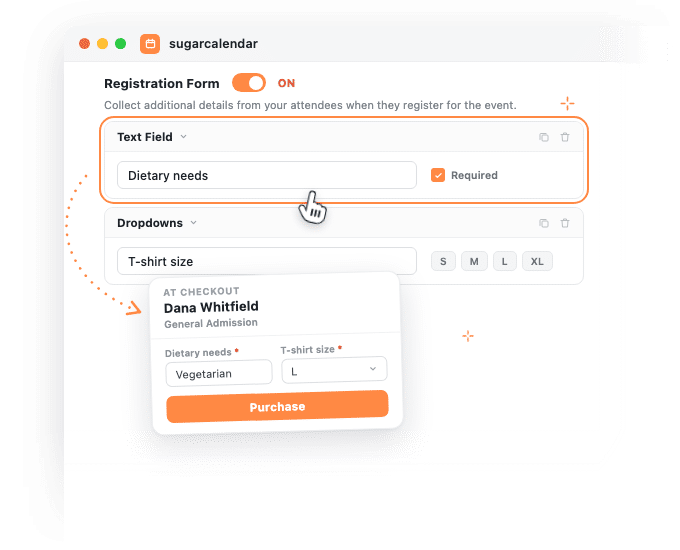
Registration form features
What a WordPress event registration form can ask
Build the questions on the event, decide when they are asked and who answers them.
Five kinds of question
Short text, long text, multiple choice, checkboxes and a dropdown. Drag them into the order you want, and mark any of them required.
Ask before or after checkout
One setting decides. Before checkout adds a step ahead of payment. After checkout lets the sale go through first, then asks on the next step, still inside the checkout.
The buyer, or every attendee
Six tickets in one order can mean six sets of answers, each attached to the person it belongs to.
Aim it at one ticket type
When an event carries more than one named ticket type and you are collecting from every attendee, choose which ticket types the questions are for.
Answers on the attendee record
Each answer lands on that person’s own panel on the order or the guest list, where you can read it and correct it.
A way back for anyone unfinished
The ticket email carries a link that reopens the form, and a reminder email follows if it is still unanswered. Neither is a chase you have to make.
How it works
Registration forms for every kind of WordPress event
Every answer lives on the event you are already editing, attached to the attendee who gave it.
The second round of asking disappears
If you cater an event, or hand out a shirt at one, you need one more thing from every person who signed up. With no form on the event that answer has to be collected somewhere else, so it ends up somewhere that is not the attendee list.
A WordPress event registration form changes that. Open the Registration Form tab on any event, add your questions, and the answer arrives with the sign-up.
You choose when the question interrupts
When to fill the form has two settings and they suit genuinely different events. Before Checkout puts the questions in their own step ahead of payment, so the details you must have arrive before the sale completes. After Checkout lets the purchase go through and asks on the step straight after it, so nothing slows down a decision somebody has already made.
Miss a required answer and the form points at the field, so nobody has to guess what is wrong.
Every answer sits with the right person
Collect data for decides who answers: the main attendee only, or every attendee in the party. Pick every attendee and each person gets their own set of questions, so six tickets do not leave you with one answer and five unknowns.
The answers then appear where you already work. A ticketing order gains a panel per attendee, and so does every guest on the guest list, each holding that person’s answers as fields you can edit when somebody changes their mind on the phone.
Nothing left to chase up
Someone who reaches an after-checkout form and closes the tab is not lost. Their ticket email already carries a link straight back into the form, and a reminder follows if the form is still unanswered. Both open it in the browser with no login, so there is nothing for the attendee to remember.
Turn on Edit after submission and the confirmation email carries an edit link too. Follow it and the previous answers are already in the fields, ready to change.
Reviews
What our users say about us

 WordPress
-
 Sugar Calendar is now my go-to calendar due to its simplicity with adding new events. I’ve found that it was so much easier for my clients to use than some of the other event/calendar plugins out there while providing the features they needed most.
 -
Sugar calendar is an overall great plugin that’s easy to use, looks clean and was so easy to implement. Im so used to programs having a steep learning curve before I can truly use the program to its fullest potential, this is not the case for Sugar Calendar!
-
Sugar Calendar does all that I need. I have never had a problem with it, and support has been responsive when I had questions. It’s easy to install, simple to configure. It looks great on my WordPress theme.
-
Sugar Calendar is intuitive, and very user friendly. I love that the learning curve to use the calendar is so low. Even my non-tech clients can get their heads around it.
-
Sugar Calendar is a selective and useful approach for time management and scheduling. It gives the exact appointment to the right person, and all the reminders are well set.
-
Overall I’ve found sugar calendar to be a robust plugin that’s well maintained and offers everything you would need for a Wordpress plugin like this. It’s extremely user friendly and the simplicity of creating events, adding details, and more make this an amazing plugin.
-
This is an incredibly solid plugin to use as a base. I’ve tried several others, and this one is better than all the others I’ve tried!
-
Huge fan! Love the simple nature of this plugin. Perfect for a site that just needs a basic calendar with none of the bloat that comes along with The Events Calendar.
-
I was just looking for a simple calendar to display a short events list inside a sidebar and a calendar on a single page. This plugin accomplishes this exactly as expected and, unlike the other many calendar plugins, this one provides two blocks which include the events list and also the calendar.
Explore other powerful features
Everything you need for seamless event management.
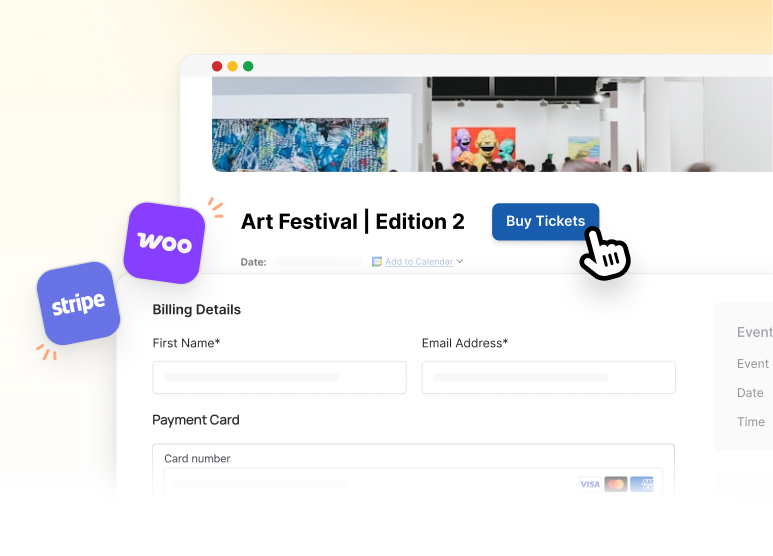
Event ticketing
Accept payments and sell tickets directly from your WordPress site.
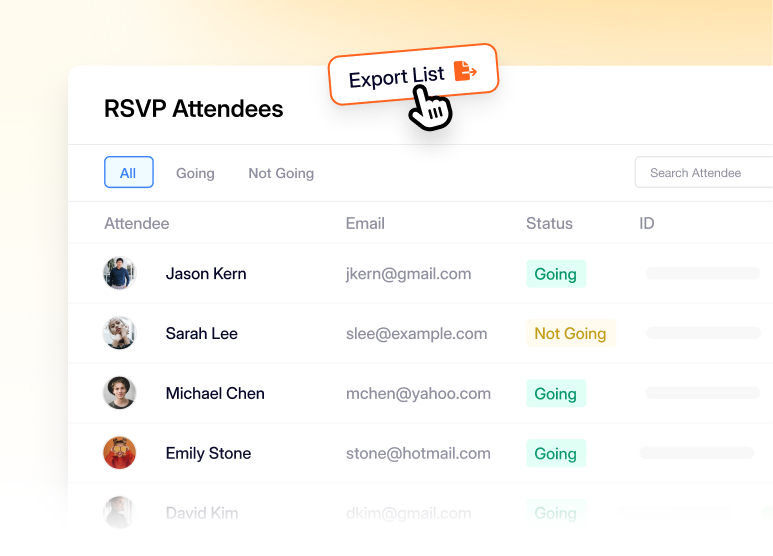
RSVP management
Collect names and headcounts for events that do not sell tickets.
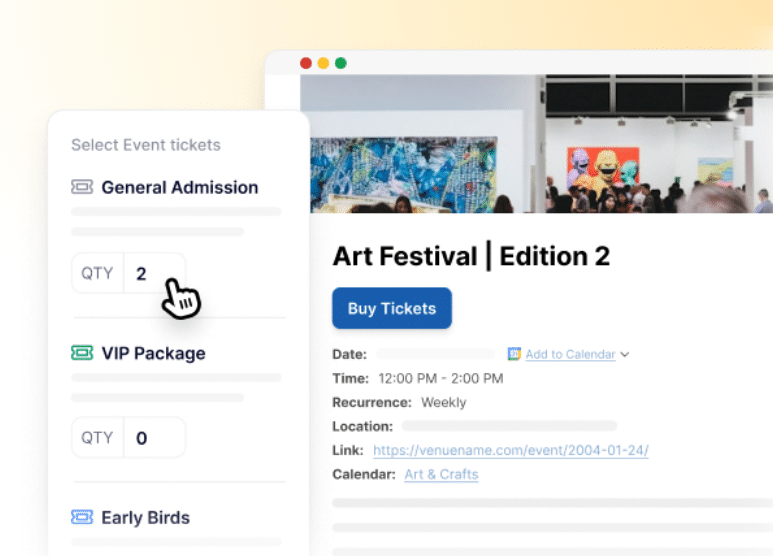
Multiple ticket types
Carry early bird, VIP and general admission on the same event, each with its own capacity.
Frequently asked questions
Have a question about collecting attendee details in Sugar Calendar? Start here.
Which plan do I need for a WordPress event registration form?
Registration forms are included on every paid plan, starting with Basic. Which plan you need comes down to how people sign up. Selling tickets is built into Sugar Calendar itself, so a ticketed event needs nothing beyond a paid plan. RSVP is a separate addon included with Plus, Pro and Elite, so collecting on an RSVP event means one of those three. Tiers live on the pricing page.
What kinds of question can a WordPress event registration form ask?
Five field types: a short text field, a long text field, multiple choice, checkboxes and a dropdown. Each field carries its own required toggle. Plus, choice fields hold as many options as you need, and switching a field between two choice types keeps the options you already typed.
Should I ask before or after checkout?
Ask before checkout when you cannot fulfil the order without the answer, such as a catering headcount or a session choice. Ask after checkout when the sale matters more than the detail: the order goes through and the questions come on the next step. Because the setting lives on the event, two events on the same calendar can work differently.
Where do the answers go?
Onto the attendee. A ticketing order gains a registration panel for each attendee, and the guest list gains one per guest, each holding that person’s answers as editable fields. So the answer stays beside the name and the ticket it belongs to rather than in a spreadsheet that drifts out of date.
Can an attendee change an answer after submitting?
Yes, if you turn on Edit after submission. The confirmation email then carries an edit link, and following it opens the form with their previous answers already filled in. The option is available on forms filled after checkout, because those are the ones that create the link it needs.
What happens if somebody starts the form and does not finish?
Their ticket email already carries a link that reopens the form, and a reminder follows while it is still unanswered. Both work in the browser with no login, so there is nothing for them to remember. Each order and each guest record carries that person’s registration panel.
Do my existing events change?
No. Because the form only appears where you have built one, an event without one behaves exactly as it did before, with no extra step in checkout and nothing added to the RSVP box.