
WordPress Virtual Events
Host virtual events without leaving WordPress
Your calendar already runs your schedule, so let it run the meeting too. Set an event online and Sugar Calendar makes the Zoom or Google Meet link your attendees need.


Virtual events features
What you get for virtual events
Zoom and Google Meet meetings on request, your own link for anything else, and control over who can see it.
Zoom or Google Meet on demand
Connect your Zoom or Google account once, then create a meeting for any online event from the editor.
Your own link instead
Pick Custom Link, paste the URL for Microsoft Teams, Webex, or a livestream, and Sugar Calendar handles the rest.
Attendee-only access
Show to lets you keep a join link private, so only ticket holders and RSVPs receive it.
Details you can copy
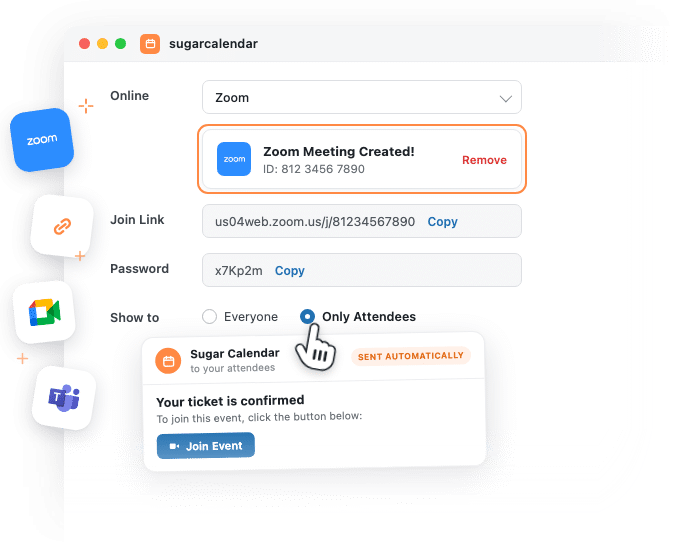
The meeting ID, the join link and the password sit on the event, each with its own Copy button.
Works in the free version
Online events work on the free version of Sugar Calendar Events as well as the paid plans.
A time zone per event
Set the time zone on the event itself, which matters most when the people joining are spread out.
How it works
Create online events right in the event editor
The meeting, the join link and the guest list all live on the event you are already editing.
The meeting is created for you
On any event’s Location tab, pick Zoom or Google Meet under Online and choose Create Zoom Meeting or Create Google Meet Meeting. The meeting ID and join link sit on the event, plus the password for Zoom, with a Copy button for the link.
Only the people you invited get in
Show to starts on Only Attendees, so your online events keep their join details off the public page. Ticket buyers and RSVP guests still receive them in the email that confirms their spot, which keeps paid workshops and members-only sessions private without a second tool doing the gatekeeping. Switch to Everyone when the session is open to all and the details appear on the event page, right below the location.
Prefer a different platform
Choose Custom Link under Online and paste the URL you already use, such as Microsoft Teams, Webex, or a livestream page. Sugar Calendar treats it like any of your other online events, so it still reaches your attendees the same way.
Hybrid Events – one tab for wherever it happens
The Location tab holds a venue and an online link together, so the same event can fill a room, run online, or do both without a workaround. You pick the platform and the audience in the same place you set the address.
Reviews
What our users say about us

 WordPress
-
 Sugar Calendar is now my go-to calendar due to its simplicity with adding new events. I’ve found that it was so much easier for my clients to use than some of the other event/calendar plugins out there while providing the features they needed most.
 -
Sugar calendar is an overall great plugin that’s easy to use, looks clean and was so easy to implement. Im so used to programs having a steep learning curve before I can truly use the program to its fullest potential, this is not the case for Sugar Calendar!
-
Sugar Calendar does all that I need. I have never had a problem with it, and support has been responsive when I had questions. It’s easy to install, simple to configure. It looks great on my WordPress theme.
-
Sugar Calendar is intuitive, and very user friendly. I love that the learning curve to use the calendar is so low. Even my non-tech clients can get their heads around it.
-
Sugar Calendar is a selective and useful approach for time management and scheduling. It gives the exact appointment to the right person, and all the reminders are well set.
-
Overall I’ve found sugar calendar to be a robust plugin that’s well maintained and offers everything you would need for a Wordpress plugin like this. It’s extremely user friendly and the simplicity of creating events, adding details, and more make this an amazing plugin.
-
This is an incredibly solid plugin to use as a base. I’ve tried several others, and this one is better than all the others I’ve tried!
-
Huge fan! Love the simple nature of this plugin. Perfect for a site that just needs a basic calendar with none of the bloat that comes along with The Events Calendar.
-
I was just looking for a simple calendar to display a short events list inside a sidebar and a calendar on a single page. This plugin accomplishes this exactly as expected and, unlike the other many calendar plugins, this one provides two blocks which include the events list and also the calendar.
Explore other powerful features
Everything you need for seamless event management.
Recurring events
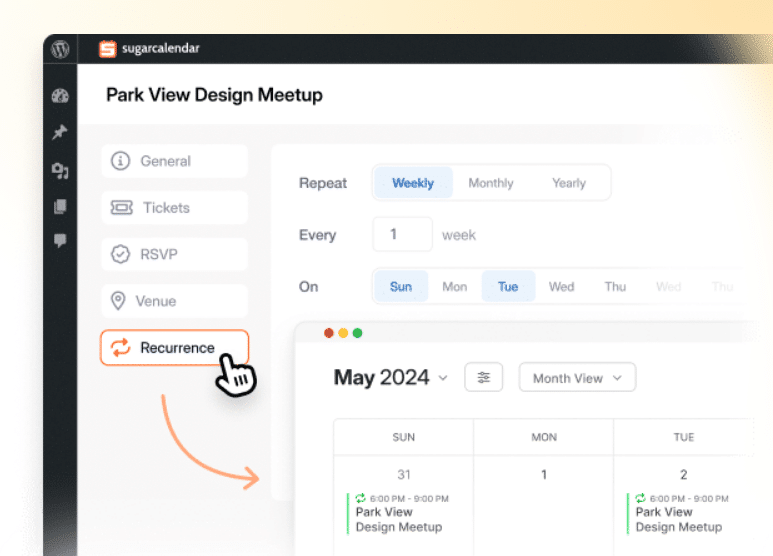
Create events that repeat automatically on any schedule you need.
Calendar feeds
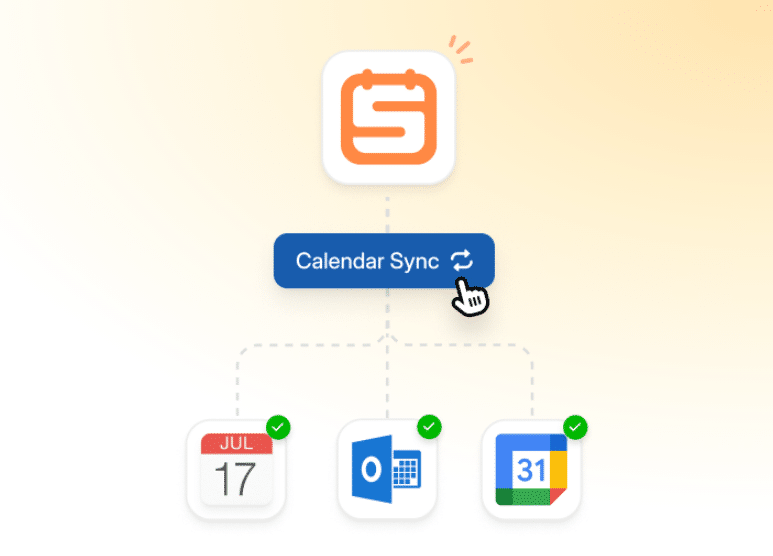
Let attendees sync your events to Google Calendar, Outlook, and Apple Calendar.
Event ticketing
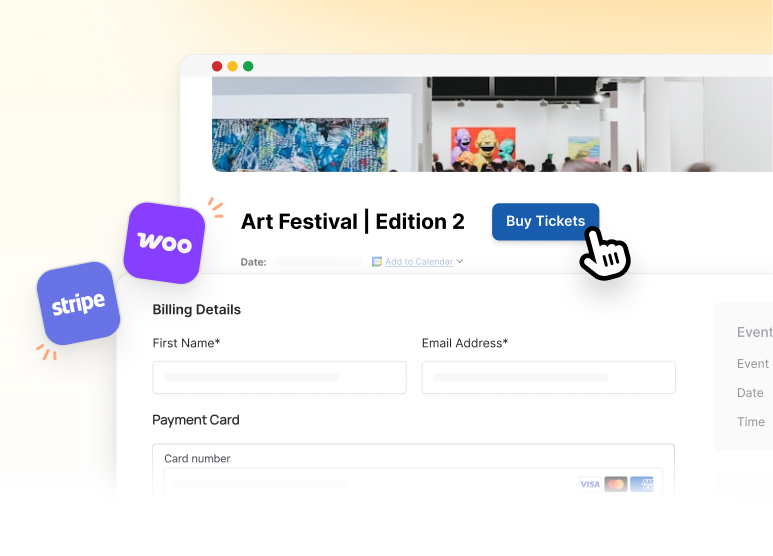
Accept payments and sell tickets directly from your WordPress site.
Frequently asked questions
Have a question about running online events in Sugar Calendar? Start here.
Which plan do I need for virtual events?
Online events work in the free version of Sugar Calendar as well as the paid plans. Creating a Zoom or Google Meet meeting draws on your plan’s included integration credits: the free version comes with a starter allowance, and paid plans refresh yours every month. You can see what you have used under Events » Settings » License & Usage. Plan details live on the pricing page.
How do attendees get the join link?
For online events, ticket buyers and RSVP guests receive it in the email that confirms their spot, so you do not have to send anything yourself. If Show to is set to Everyone, the link also appears on the event page for any visitor. On Only Attendees the page keeps it back and the email does the delivering.
What are integration credits?
A credit is what Sugar Calendar Events spends when it does a piece of work with an outside service for you, such as asking Zoom to create the meeting for an online event. Your remaining allowance sits on the License and Usage tab, so there is no guessing about where you stand.
Do I need a Zoom account?
Yes, for the Zoom option. You connect your own account once from the Integrations screen and Sugar Calendar creates the meetings inside it, so they live in the Zoom account you already own. If you would rather not connect anything, use Custom Link instead and your online events still work.
Can I use a service other than Zoom for virtual events?
Yes. Google Meet is built in too: connect your Google account, choose Google Meet under Online, and click Create Google Meet Meeting. For anything else, choose Custom Link and paste any URL you like, such as Microsoft Teams or a livestream page.
Can an event happen in a room and online at the same time?
It can. The Location tab holds a venue and an online link together, so an event that welcomes people in person while others join remotely needs no workaround. On the event page the join details sit right below the location, for the people your Show to setting allows.
Can I set the time zone for an online event?
Yes. Sugar Calendar lets you set a time zone per event, which matters more for online events than for anything else, because the people joining are rarely in one place. There is a separate page on how time zones work if you want the detail.
Do I need a Google account for Google Meet?
Yes. Connect it once under Events » Settings » Integrations » Google Calendar / Meets, and Sugar Calendar creates the meetings inside it. You do not have to sync your calendar to use it: choose Don’t Sync Events, save, and Google Meet still works on its own. New Meet links start on Only Attendees, so switch Show to to Everyone if you want the link on the event page. If you do sync, the meeting travels with the event to Google Calendar. The Google Calendar integration page has the details.