
WordPress Event Emails
Tell everyone who signed up, without exporting a list
Event emails belong where your events already live. Write your message, pick the event, and Sugar Calendar sends it to everyone holding a ticket or an RSVP for that event.


Notification features
Everything you need to send event emails
One message, the right recipients, and the details filled in for you.
One message, everyone attending
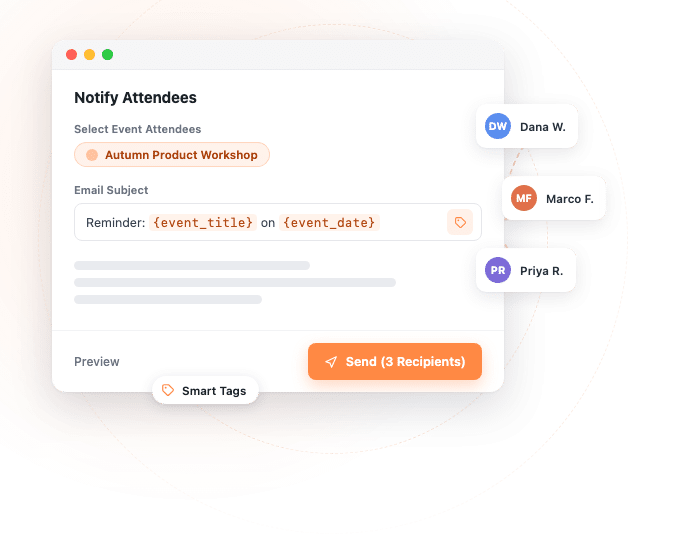
Compose the subject and the body in Notify Attendees, and it reaches every attendee of that event.
Nine smart tags
Drop in a name, an event title, a date or a time and each message is addressed to the person reading it.
Reach your ticket holders
Select an event that sells tickets and the people who bought them are your recipients.
Reach your RSVP guests
Events collecting RSVPs work the same way, so the ones that do not sell tickets are covered too.
Add anyone else
Add Custom Recipients lets you include a caterer or a speaker who never bought a ticket.
See it before they do
Preview renders the finished email with sample details filled in, so you catch a mistake first.
How it works
Notify attendees from the calendar you already use
Open the panel, choose the event, and the recipient list builds itself.
The recipient list builds itself
Open Notify Attendees from your events list and start typing in Select Event Attendees. Pick the event and Sugar Calendar gathers everyone holding a ticket or an RSVP for it, then tells you exactly how many people that is on the send button itself. So there is no export and no spreadsheet of addresses to copy into another tool. Only events that actually have attendees appear in the list.
Names and dates fill themselves in
One message goes to everybody, and the smart tags fill in the details that differ: the attendee’s name and email, the event title, its URL, its start and end dates, its start and end times, and your site name. Put them in the Email Subject or the Email Body and each message goes out filled in. In the preview, a subject like “Reminder: {event_title} on {event_date}” resolves to “Reminder: Autumn Product Workshop on September 15, 2026”.
Check it before it leaves
Preview renders the finished message with the tags already resolved against sample details, so you can read it the way a recipient will. Because you see it first, a wrong date costs you a moment rather than an apology to two hundred people. Set Send From Name and Send From Email in the same panel, so the message comes from the name your attendees recognise.
Big lists send themselves
Sugar Calendar queues your event emails and works through them in batches in the background, so a long attendee list does not tie up your admin. When it finishes you get a count of what went out and what did not, and any address that failed is listed by name, so you chase the few that did rather than wondering about the whole list.
Reviews
What our users say about us

 WordPress
-
 Sugar Calendar is now my go-to calendar due to its simplicity with adding new events. I’ve found that it was so much easier for my clients to use than some of the other event/calendar plugins out there while providing the features they needed most.
 -
Sugar calendar is an overall great plugin that’s easy to use, looks clean and was so easy to implement. Im so used to programs having a steep learning curve before I can truly use the program to its fullest potential, this is not the case for Sugar Calendar!
-
Sugar Calendar does all that I need. I have never had a problem with it, and support has been responsive when I had questions. It’s easy to install, simple to configure. It looks great on my WordPress theme.
-
Sugar Calendar is intuitive, and very user friendly. I love that the learning curve to use the calendar is so low. Even my non-tech clients can get their heads around it.
-
Sugar Calendar is a selective and useful approach for time management and scheduling. It gives the exact appointment to the right person, and all the reminders are well set.
-
Overall I’ve found sugar calendar to be a robust plugin that’s well maintained and offers everything you would need for a Wordpress plugin like this. It’s extremely user friendly and the simplicity of creating events, adding details, and more make this an amazing plugin.
-
This is an incredibly solid plugin to use as a base. I’ve tried several others, and this one is better than all the others I’ve tried!
-
Huge fan! Love the simple nature of this plugin. Perfect for a site that just needs a basic calendar with none of the bloat that comes along with The Events Calendar.
-
I was just looking for a simple calendar to display a short events list inside a sidebar and a calendar on a single page. This plugin accomplishes this exactly as expected and, unlike the other many calendar plugins, this one provides two blocks which include the events list and also the calendar.
Explore other powerful features
Everything you need for seamless event management.
Event ticketing
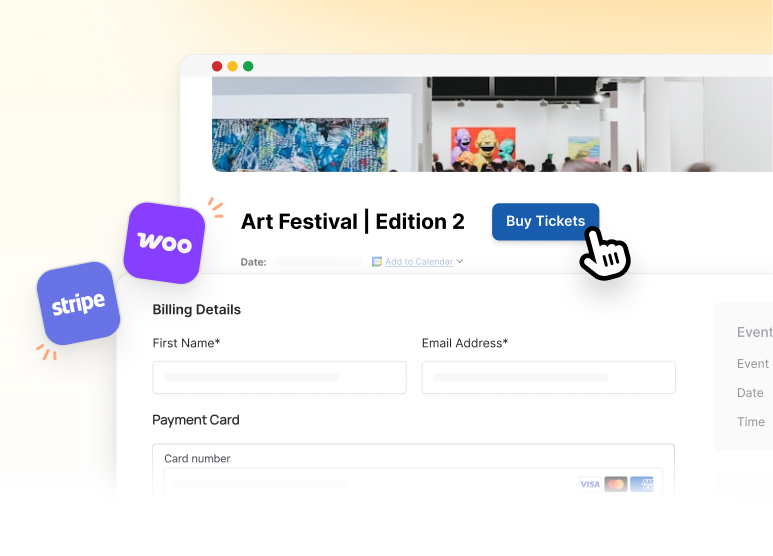
Accept payments and sell tickets directly from your WordPress site.
RSVP management
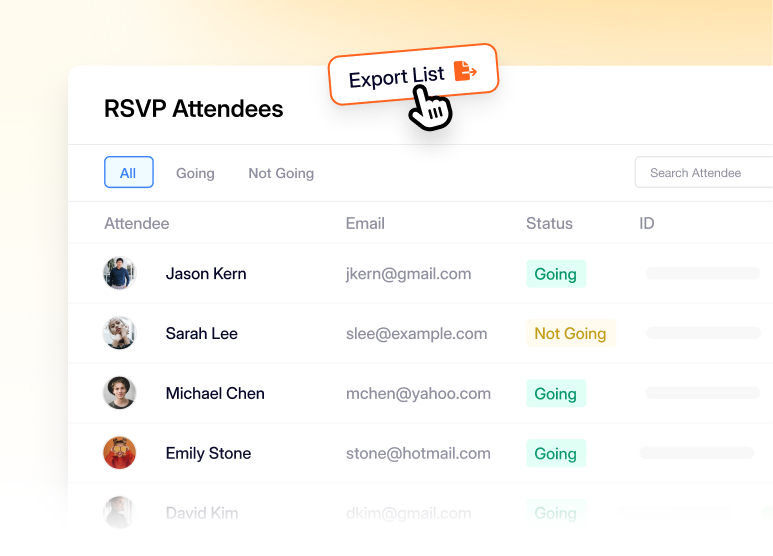
Collect names and headcounts for events that do not sell tickets.
Online & virtual events
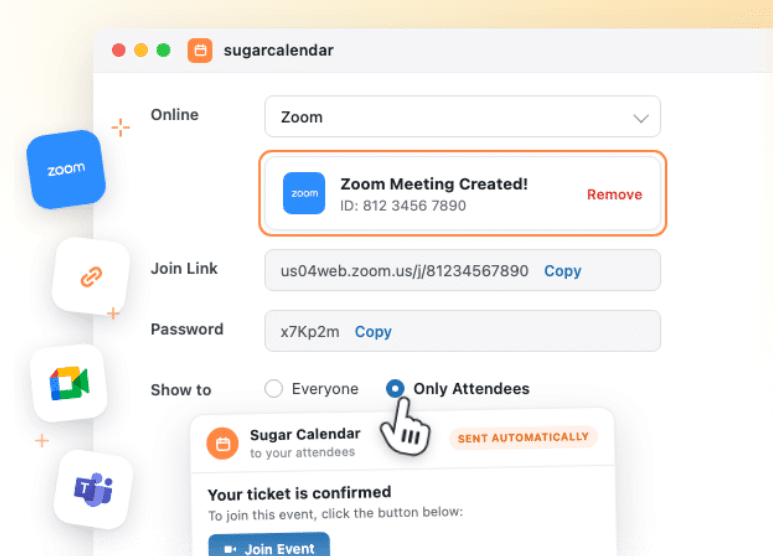
Create a Zoom or Google Meet meeting for any event and get the join link to your attendees.
Frequently asked questions
Have a question about sending event emails from Sugar Calendar? Start here.
Which plan do I need to send event emails?
Emailing the people holding tickets for an event comes with Sugar Calendar Events, once that event is set up to sell tickets. Emailing the guests who RSVP’d needs the RSVP add-on, which comes with the higher plans. The pricing page shows what each plan includes, and the complete guide to event emails walks through the setup either way.
Is this the same as the confirmation email attendees already get?
No. Ticket receipts and RSVP confirmations go out automatically the moment someone signs up, and they keep doing that. Notify Attendees is instead for the message you decide to write, for example a room change, a parking note or a thank-you afterwards. The two sit side by side.
Can I email people who never bought a ticket?
Yes. Tick Add Custom Recipients and add the addresses yourself, which is how a caterer, a speaker or a colleague gets the same note as everyone attending.
What do the smart tags fill in?
Nine of them: the attendee’s name and email address, the event title, the event URL, its start and end dates, its start and end times, and your site name. They work in both the Email Subject and the Email Body.
Does the preview use a real attendee’s details?
It uses sample details, and it names the event they came from at the top of the preview, so you can read the message as a recipient would without picking someone from your list. The point is to check the wording and the dates before anything is sent.
What happens with a long attendee list?
Sugar Calendar sends in batches in the background rather than all at once, which keeps your admin responsive. You get a running count while it works, then a summary of how many arrived and how many did not, with the failures listed by name.
Why did my event emails fail?
Almost always because the site itself cannot send mail reliably, which is a web hosting problem rather than a calendar one. WP Mail SMTP is the fix: it routes your site’s mail through a proper sending service instead of the server’s own mailer. Its Quick Connect setup with SendLayer gets you there in a couple of clicks, without any technical setup on your part.