Need to cancel your Sugar Calendar Bookings subscription or turn off automatic renewals? Whether you plan to manage your license manually or no longer need the plugin, you can easily cancel your subscription from your account dashboard.
This guide will walk you through how to stop auto-renewal for your Sugar Calendar Bookings license.
Canceling Your Sugar Calendar Bookings Subscription
Sugar Calendar Bookings uses an annual subscription model. By default, your plan will renew automatically each year to ensure uninterrupted access to plugin updates, support, and premium features.
If you cancel your subscription, you’ll still keep full access until your current term ends. After that, your license will expire unless you manually renew it later.
To cancel, first log in to your Sugar Calendar account.
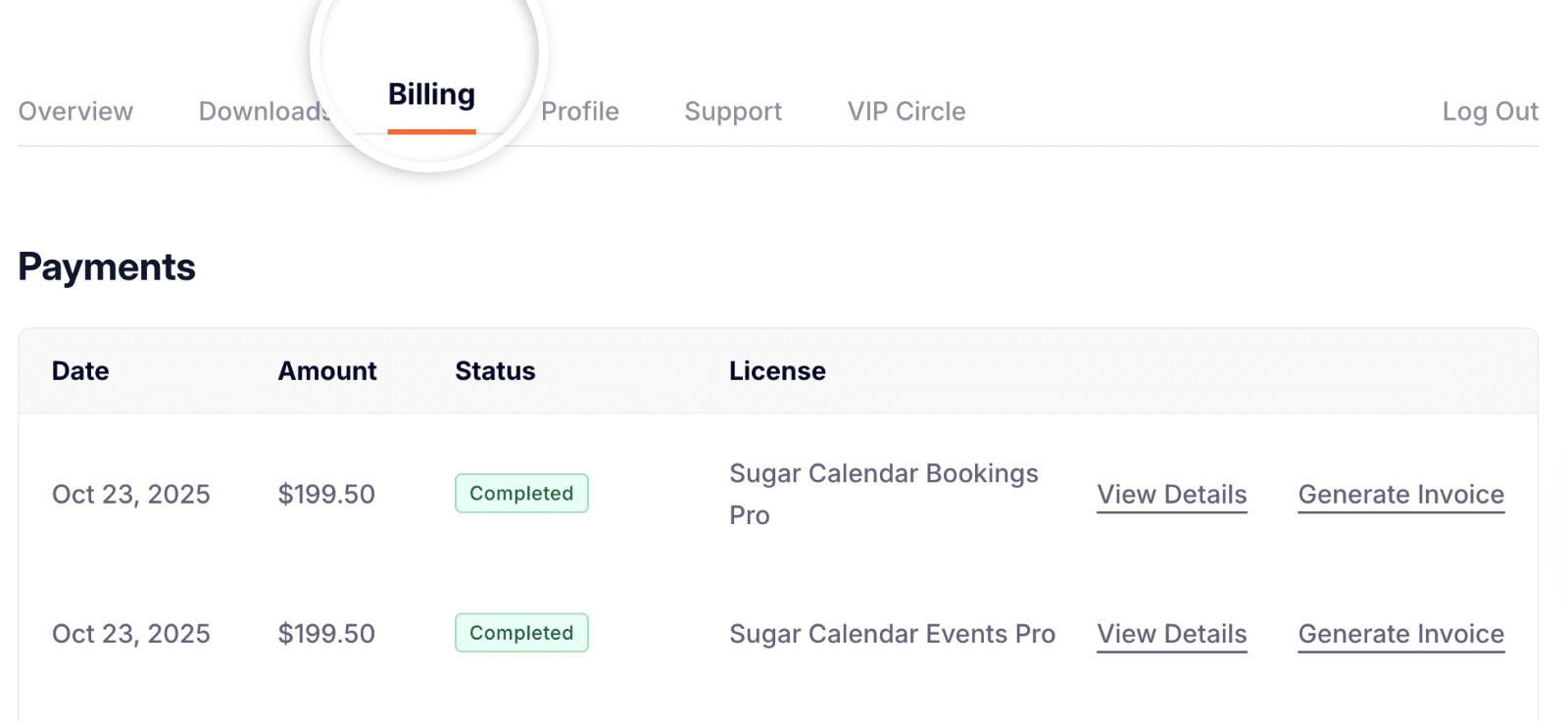
Once logged in, click the Billing tab in your account dashboard.
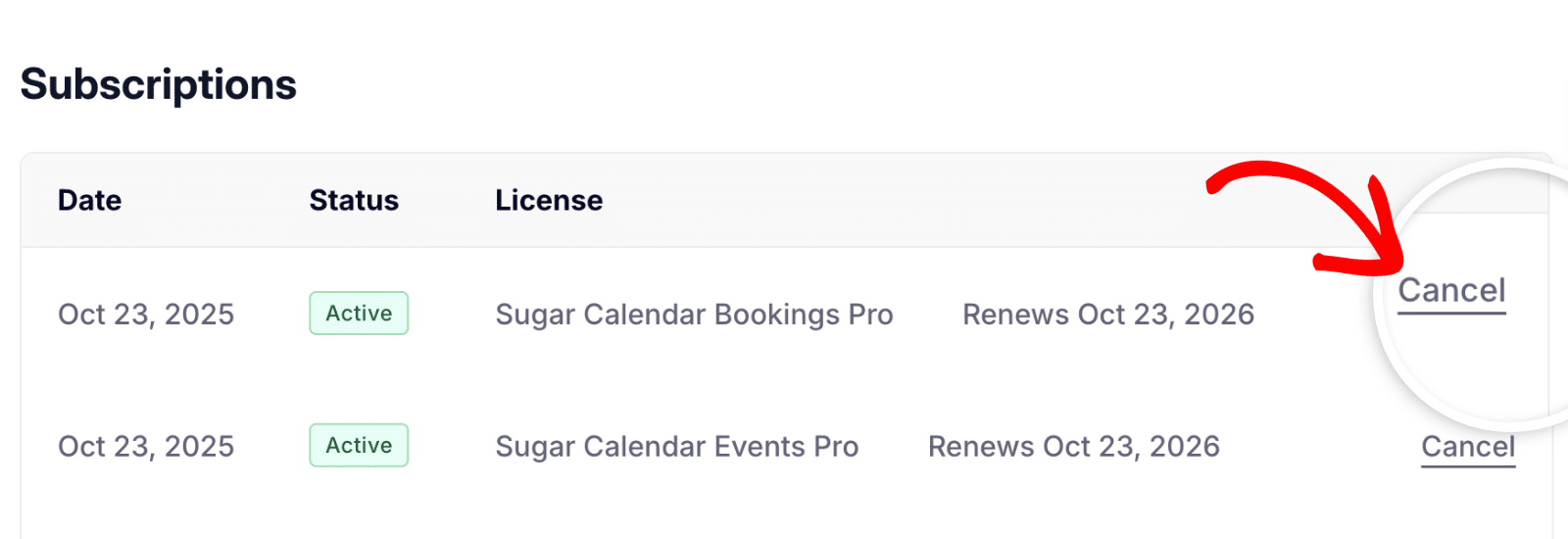
Next, scroll down to the Subscriptions section. You’ll see a list of all active licenses, their renewal dates, and actions you can take.
To cancel auto-renewal for your Bookings license, click the Cancel link next to Sugar Calendar Bookings Pro.
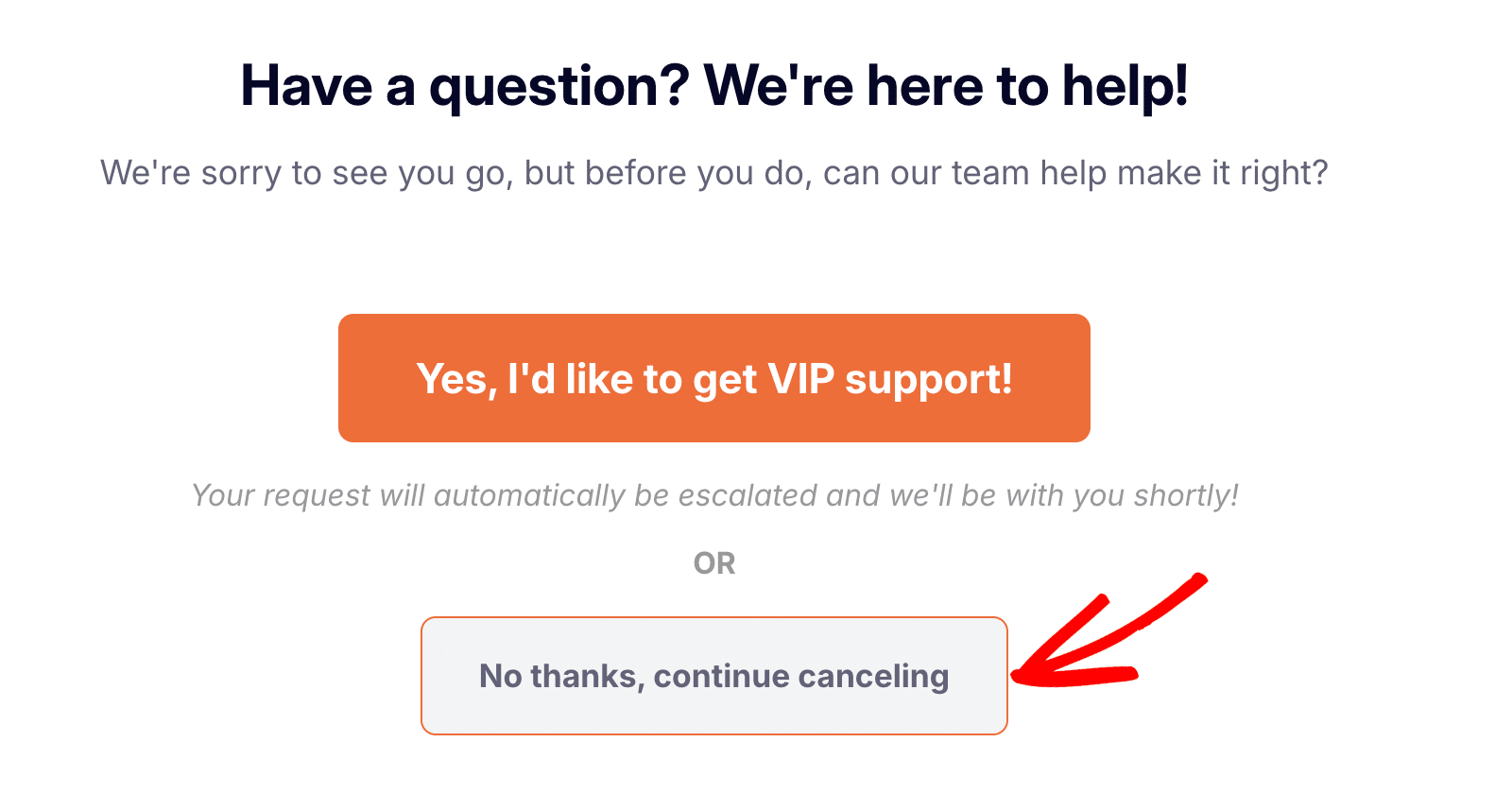
A prompt will appear offering help from our team. If you’d like to proceed with cancellation, click No thanks, continue canceling.
On the cancellation details screen, review what will happen when your plan expires, including the loss of license benefits and updates. Then click Confirm Cancelation to finalize.
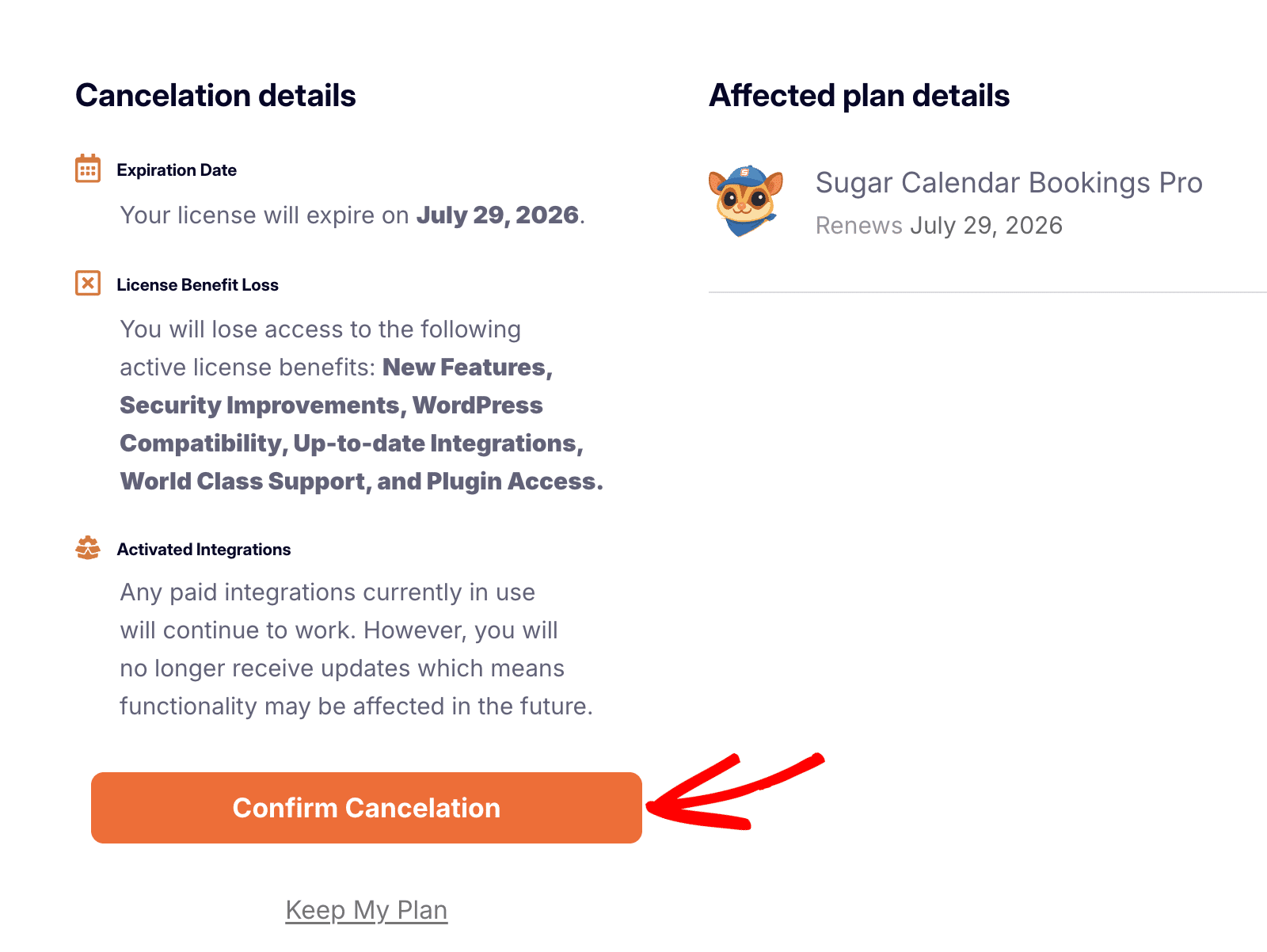
Once confirmed, your subscription will remain active until its expiration date, after which it will not renew automatically.
Frequently Asked Questions
Below are answers to common questions about canceling your Sugar Calendar Bookings license.
Can I get a refund?
We offer a 14-day, no-risk, double guarantee. If you’re within 14 days of your purchase or renewal, you can request a refund. See our refund guide for full details.
Can I downgrade my license instead of canceling?
Yes. If you’d like to continue using Sugar Calendar Bookings but don’t need the advanced features included with your current plan, you can downgrade instead of canceling. To downgrade, contact our team through the support form for assistance.
Can I continue using Sugar Calendar Bookings after canceling?
Yes, you can continue using the plugin even after canceling your license. However, you’ll no longer receive new updates, premium support, or access to additional integrations and features. Over time, this may impact compatibility with newer versions of WordPress or other plugins.
For more details, check out our guide on why keeping your license active matters.
That’s it! You’ve successfully canceled auto-renewal for your Sugar Calendar Bookings license. If you change your mind, you can always renew your subscription later from your account dashboard.
Need help with your account or billing? Contact our Trusted Advisors, and we’ll be happy to help!