Are you wondering how integration credits work in Sugar Calendar Bookings, or why you’re seeing an upgrade prompt when using Google Calendar, Zoom, or another integration?
This guide explains what integration credits are, how many credits each plan includes, and how to check and manage your usage directly from the plugin settings.
In This Article
What Are Integration Credits?
Integration credits track how many times your calendar integrations are used. Each time a booking triggers a sync or connection with an external service — such as creating a Google Meet link, syncing to Google Calendar, or generating a Zoom meeting — it uses one credit.
Credits apply to all of the following integrations:
- Google Calendar
- Google Meet
- Zoom
- Outlook Calendar
- Apple Calendar
Credits Per Plan
The number of credits available depends on your Sugar Calendar Bookings plan:
| Plan | Credits | Reset |
|---|---|---|
| Free | 200 | Lifetime (never resets) |
| Basic | 1,000 | Monthly |
| Pro | 2,000 | Monthly |
| Elite | 5,000 | Monthly |
Free plan credits are a one-time allocation per site. They do not reset each month. Once your 200 free credits are used, you’ll need to upgrade to a paid plan to continue using integrations.
Paid plan credits reset on the first of each month, giving you a fresh allocation every billing cycle.
What Happens When You Run Out of Credits
When your credit balance reaches zero, integration features stop working for new bookings. Sugar Calendar displays an upgrade prompt so you can move to a higher plan and restore access.
Existing bookings already synced to external calendars are not affected. Only new integration connections are paused until credits are restored by upgrading your plan or, for paid plans, waiting for the monthly reset.
Checking Your Current Usage
There are two ways to track integration usage in Sugar Calendar Bookings.
From the Settings Page
Go to Sugar Calendar » Settings. Click the License and Usage tab.
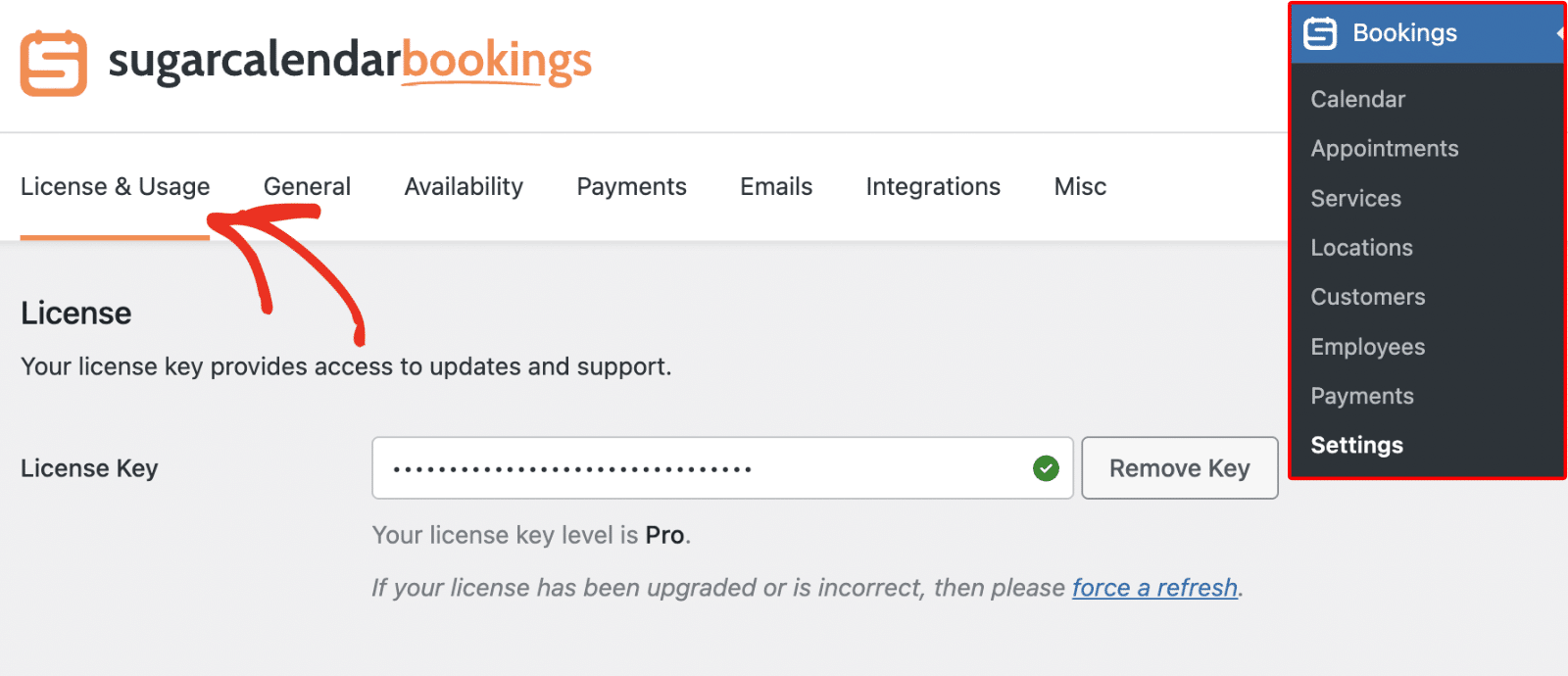
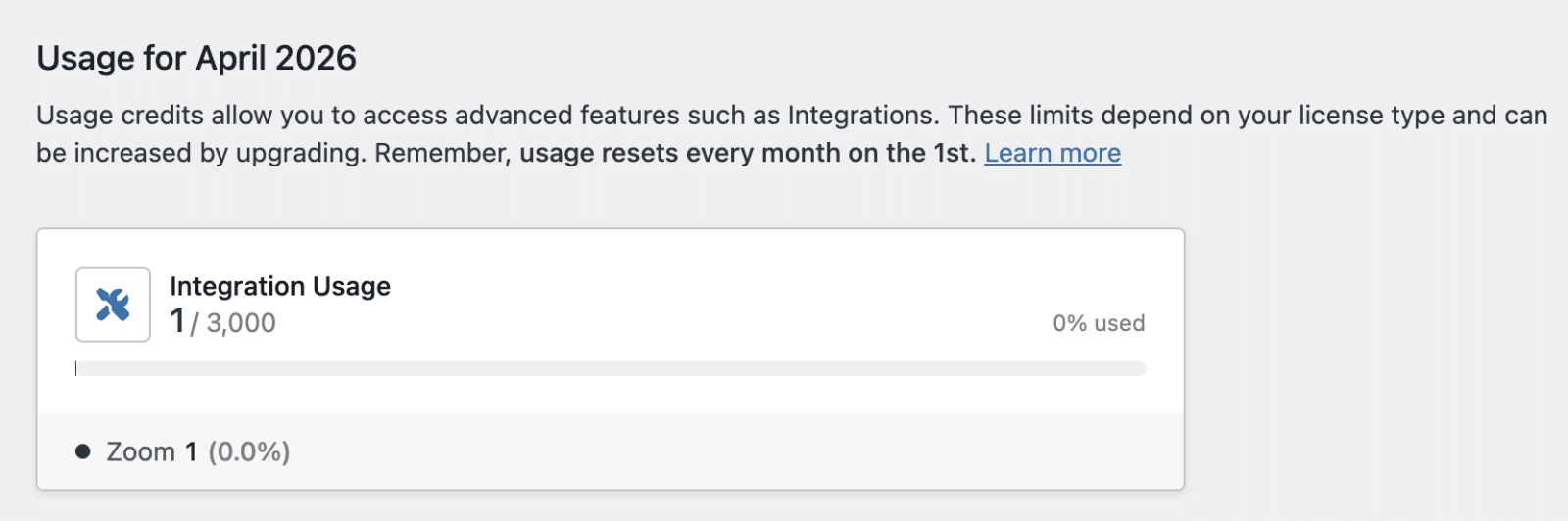
The tab shows your current plan, license status, and a breakdown of integration credits used versus your plan limit.
From the Integrations Page
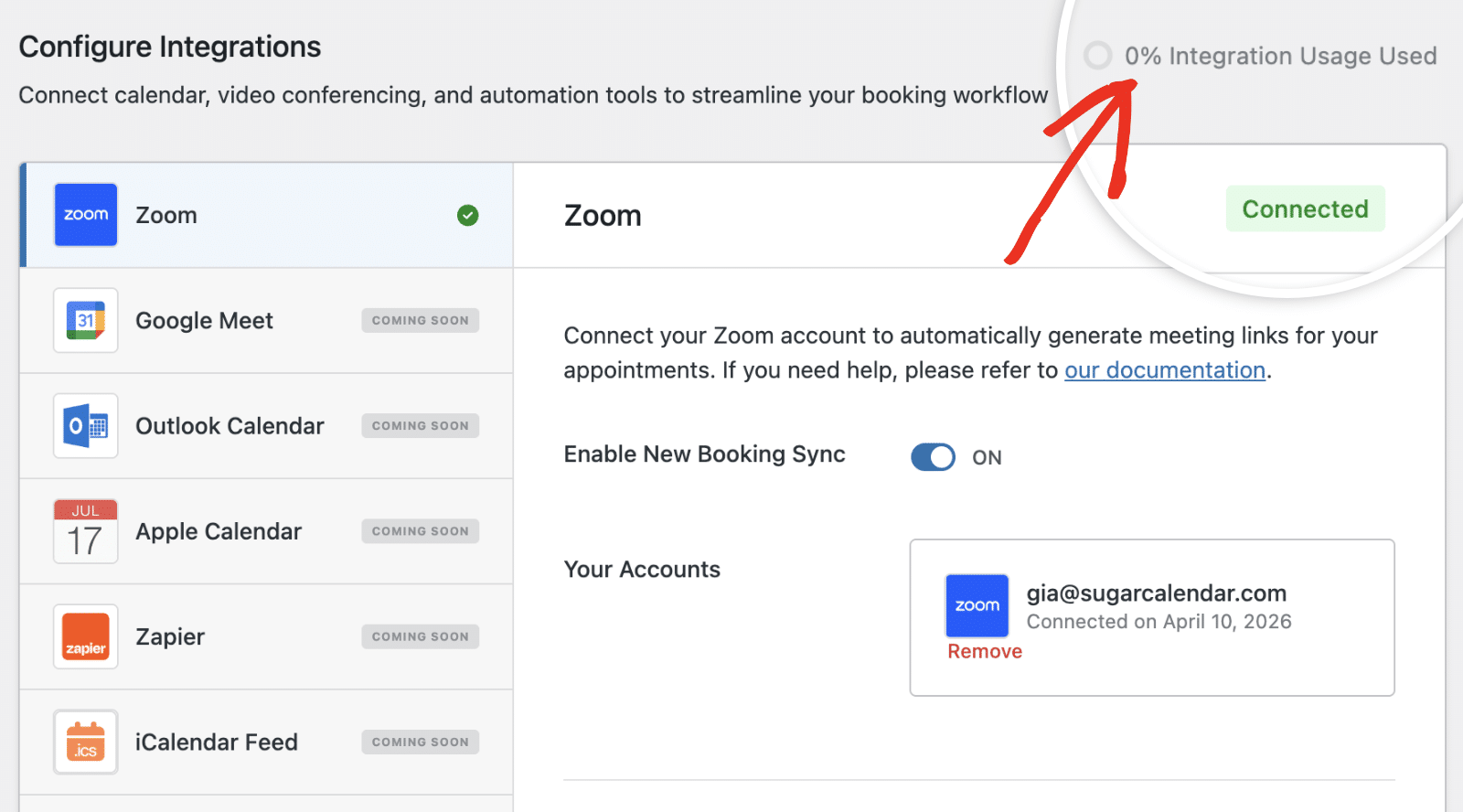
To track your usage from the integrations page, go to Sugar Calendar » Integrations.
Look for the usage tracker at the top of the page. It shows your remaining credits at a glance.
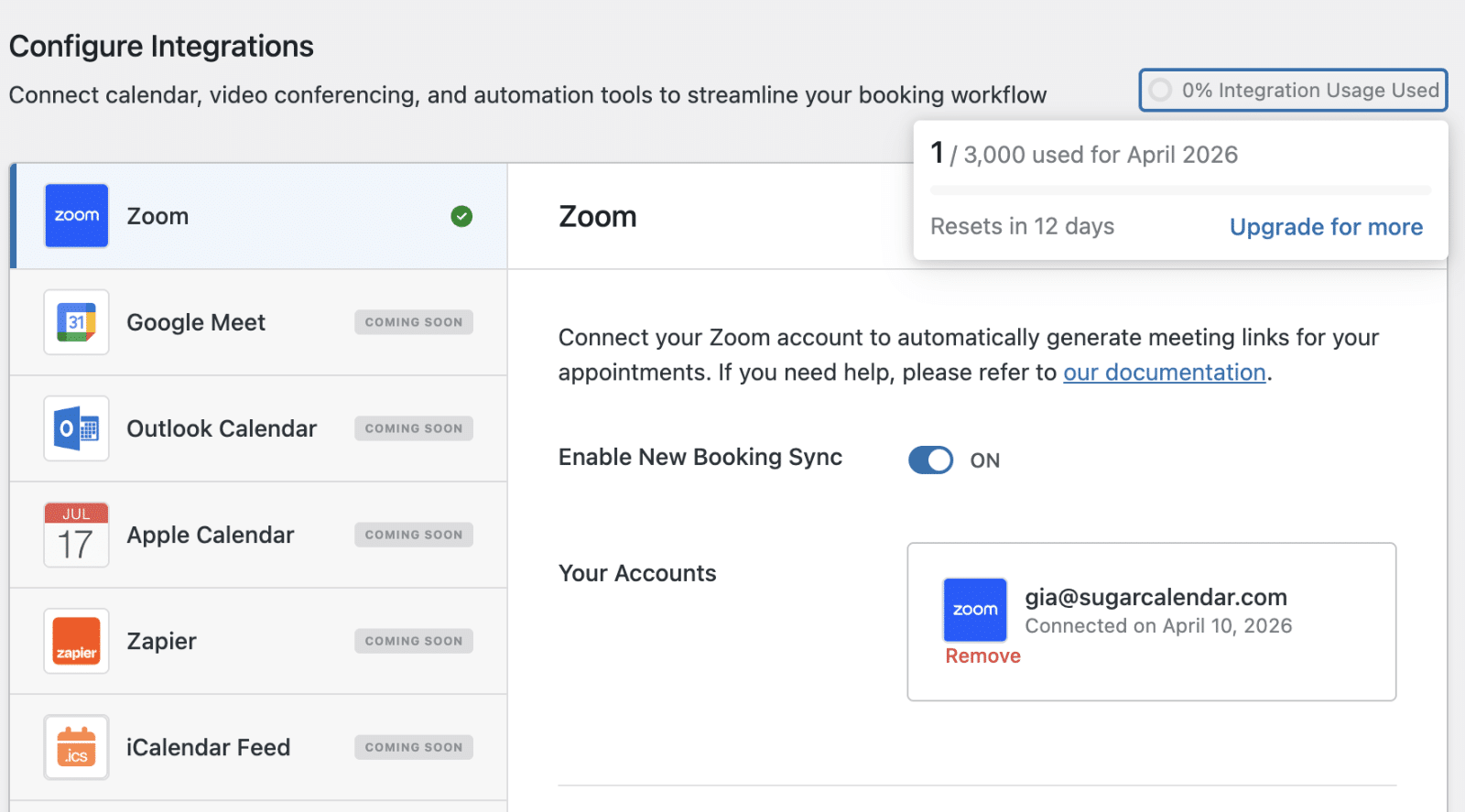
Click the tracker to open a popup with detailed usage information.
Upgrading Your License Level
If you’re on the Free plan or need more credits, upgrading gives you a higher monthly allocation immediately.
To learn how, see our guide on upgrading your license.
That’s It! You now know how integration credits work in Sugar Calendar Bookings, how to track your usage, and how to upgrade when you need more.
Next, would you like to connect one of the supported integrations? See our guide on setting up the Zoom integration to get started.