Want to unlock even more powerful features for Sugar Calendar Bookings? Each higher license level provides additional tools, integrations, and more site activations. Giving you greater flexibility and scalability for your booking system.
This guide will walk you through how to upgrade your Sugar Calendar Bookings license to a higher level directly from your account dashboard.
In This Article
Accessing Your Upgrade Options
To begin, log in to your Sugar Calendar account.
Once logged in, click the Downloads tab to access your active licenses.
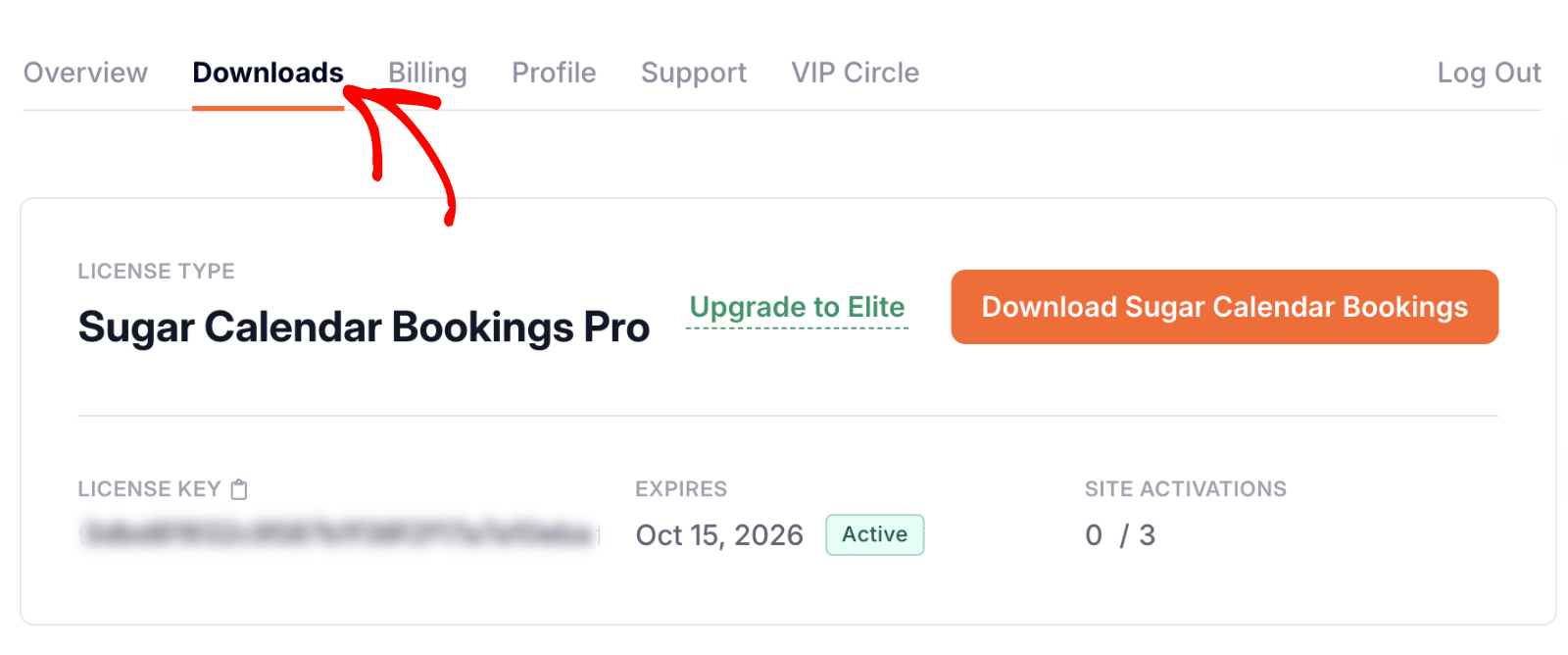
Next, locate your Sugar Calendar Bookings license and click the Upgrade to Elite link to see available upgrade options.
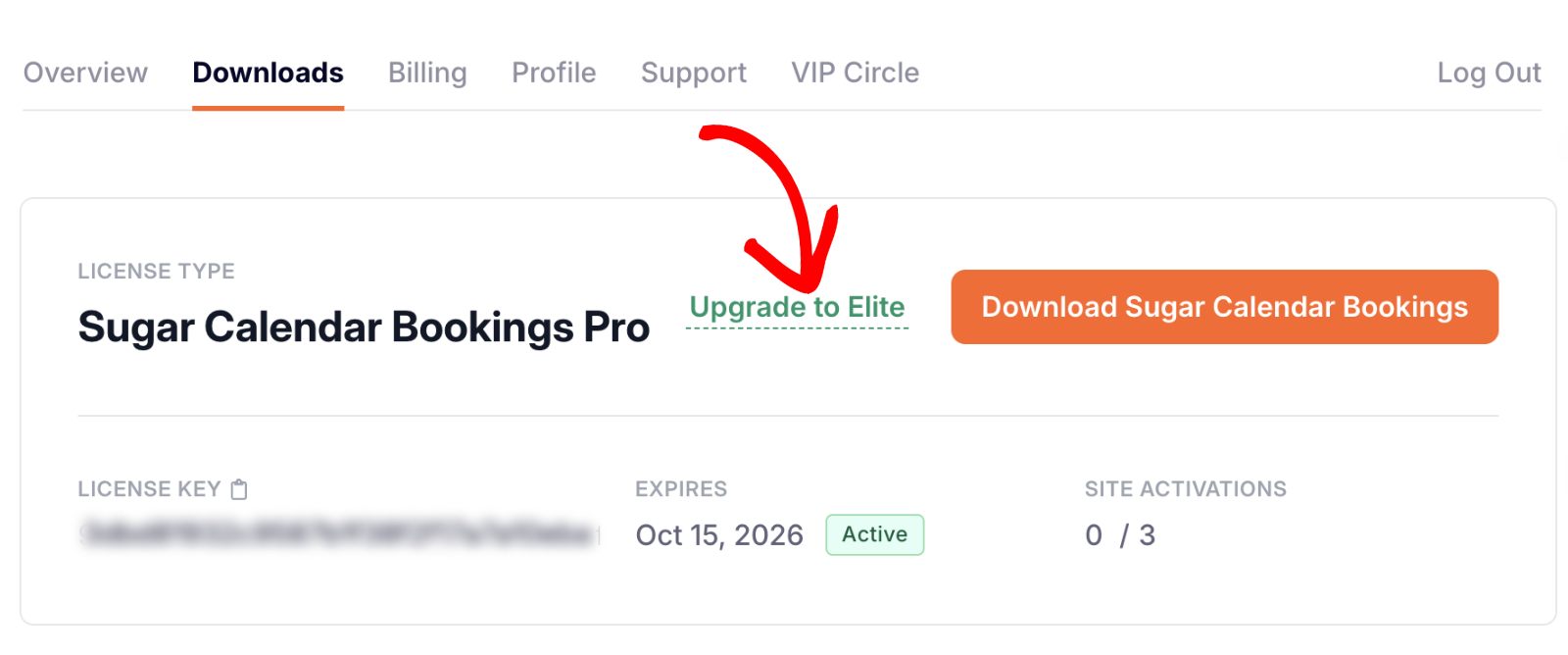
Note: The upgrade link text will differ depending on your current license. For example, if you’re using a Basic plan, the link might say “Upgrade to Pro”.
After clicking the upgrade link, you’ll see a page showing the available higher-tier plans and their features.
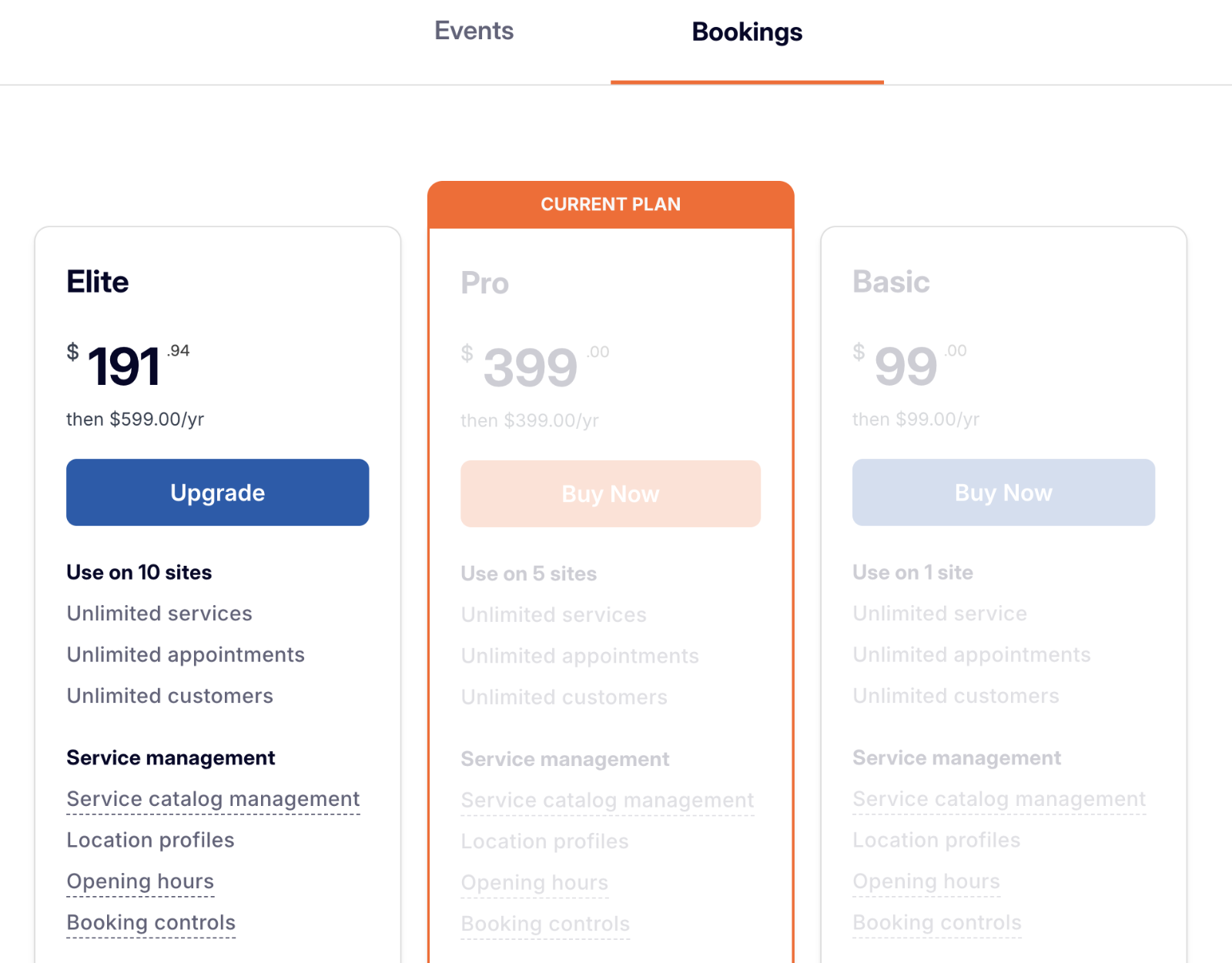
If you already have the Pro license, you’ll see the option to upgrade to the Elite plan. Click the Upgrade button to proceed.

Understanding Pro-Rated Upgrade Pricing
When you upgrade your license, the cost is automatically pro-rated based on how much time remains in your current plan. This means you only pay for the time difference between your existing license and the upgraded one.
Here’s how it works:
- You pay only the difference: For example, if upgrading from Pro ($399/year) to Elite ($599/year), you’ll only pay for the $200 difference.
- The cost is adjusted by time: If you have 6 months left in your subscription, you’ll only pay half of that difference ($100).
The total upgrade price you see during checkout already includes this automatic adjustment (no manual calculation needed).
Completing Your License Upgrade
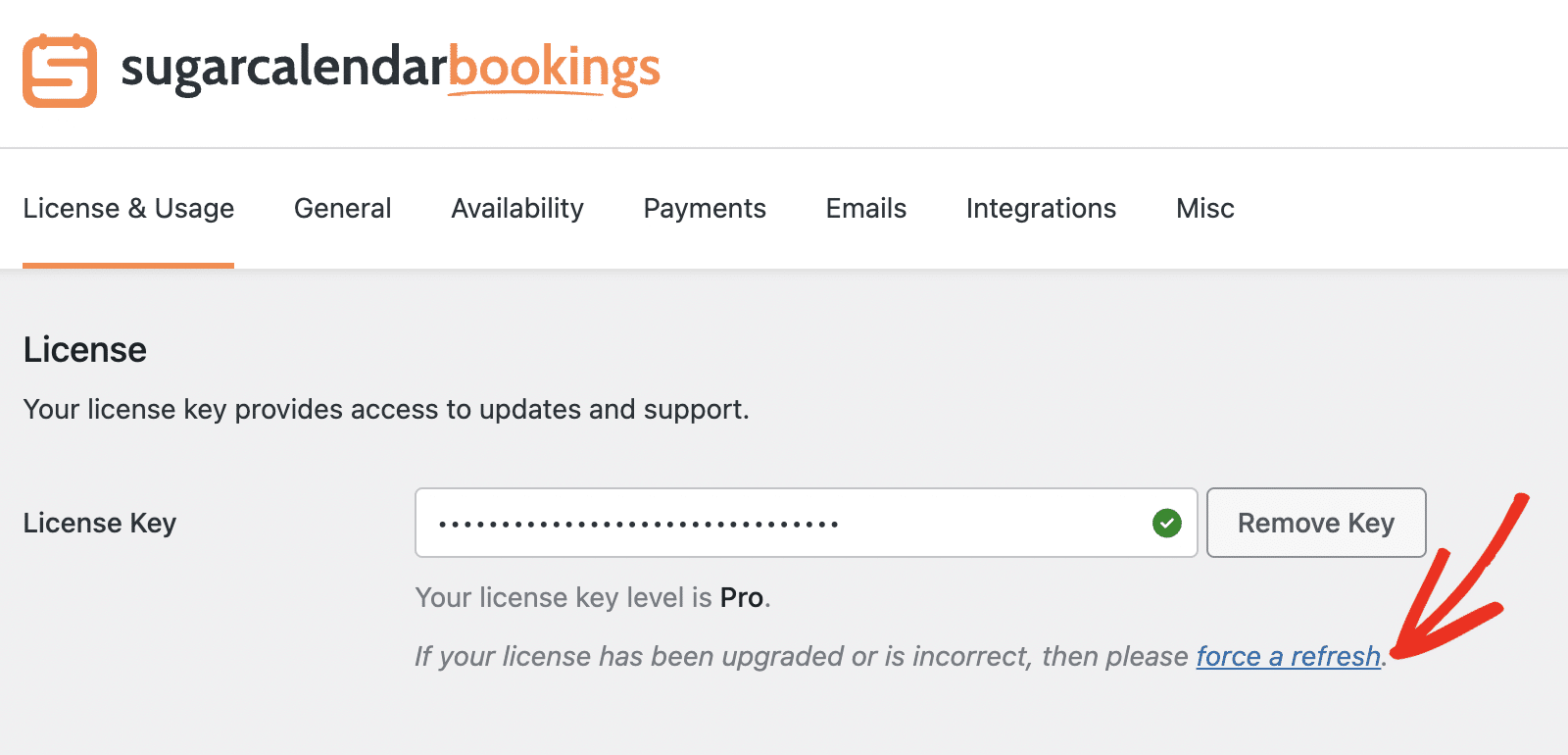
After purchasing your upgrade, log back into your WordPress site and go to Bookings » Settings.
Under the License section, you’ll see your new license level displayed beneath your key.
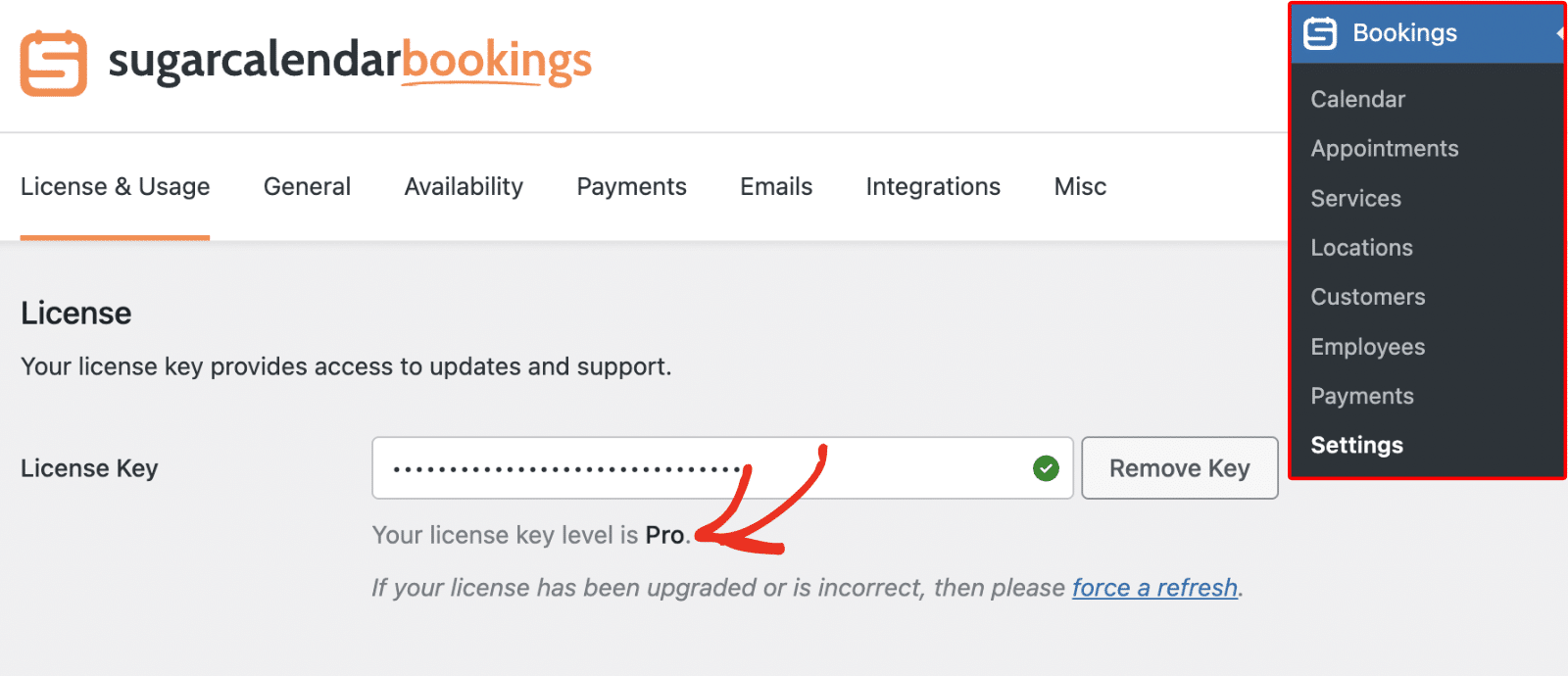
If your license still shows the old level, click the force a refresh link to sync your updated license information.
That’s it! Your upgraded Sugar Calendar Bookings license is now active, and you can start taking advantage of the enhanced features right away.
Next, want to explore the advanced capabilities of your new plan? Check out our guide on setting up payment options to get started.