
Sugar Calendar logo
  • Events
  • Bookings
  • Pricing
  • Features
    • Events
      • Recurring Events
      • Event Ticketing
      • RSVP management
      • Event Speakers
      • Event Venues
      • Flexible Ticket Types
      • View all
    • Bookings
      • Online Appointment Booking
      • Online Payments
      • Calendar Management
      • Service Management
      • Customer Management
      • Automated Notifications
      • View all

    What's new?

    • 3.7 announcement
      Sugar Calendar 3.7: Event Management Just Got Easier – RSVPs, Tags, Speakers and More
    • Introducing Sugar Calendar 3.6
      Introducing Sugar Calendar 3.6 – Enhanced Recurring Events & More Flexible Payment Options
    All updates
  • Solutions
    • Industry
      • Beauty & Salon
      • Fitness & Sports
      • Education
      • Healthcare & Wellness
      • Professional Services
      • Real Estate & Property Management

    Featured Customer Story

    Stars

    "Overall I’ve found sugar calendar to be a robust plugin that’s well maintained and offers everything you would need for a Wordpress plugin like this. It's extremely user friendly and the simplicity of creating events, adding details, and more make this an amazing plugin."

    Jeff B Verified Customer
  • Resources
    • DocumentationStep-by-step guides on all things Sugar Calendar
    • BlogOur latest tips, tutorials, and insights
    • SupportAsk a question or get help with Sugar Calendar

    Featured Blog Articles

    • 3.7 announcement
      Sugar Calendar 3.7
    • Introducing Sugar Calendar 3.6
      Sugar Calendar 3.6
    All Blog Articles
  • Login
  • Get Started

Sugar Calendar Bookings Documentation

Documentation, Reference Materials, and Tutorials for Sugar Calendar Bookings
  • Getting Started
  • Features
  • Payments

Most Popular

  • Managing Booking Services
  • A Complete Guide to Sugar Calendar Bookings Settings
  • Upgrading Your Bookings License
  • Updating Your Billing Information
  • Transferring Your License to Another Site
  • Canceling Your Booking Subscription

Get free tips and resources right in your inbox

Please enable JavaScript in your browser to complete this form.
Loading

Updating Your Billing Information

Updated: Oct 31, 2025
David Ozokoye
By David Ozokoye

Senior Technical Writer

Rachel Adnyana
REVIEWED By Rachel Adnyana

Senior Writer

Would you like to update your billing information for Sugar Calendar Bookings? Keeping your payment details current ensures your subscription renews smoothly and your license stays active without interruption.

This guide will show you how to update your credit card or billing information.

In This Article

  • Accessing the Billing Page
  • Updating Your Credit Card Details
  • Updating PayPal Billing Information

Note: Billing updates will work differently depending on whether you’ve selected Credit Card or PayPal on the Sugar Calendar checkout page.

Accessing the Billing Page

First, log in to your Sugar Calendar account.

Once logged in, click the Billing tab in your account dashboard.
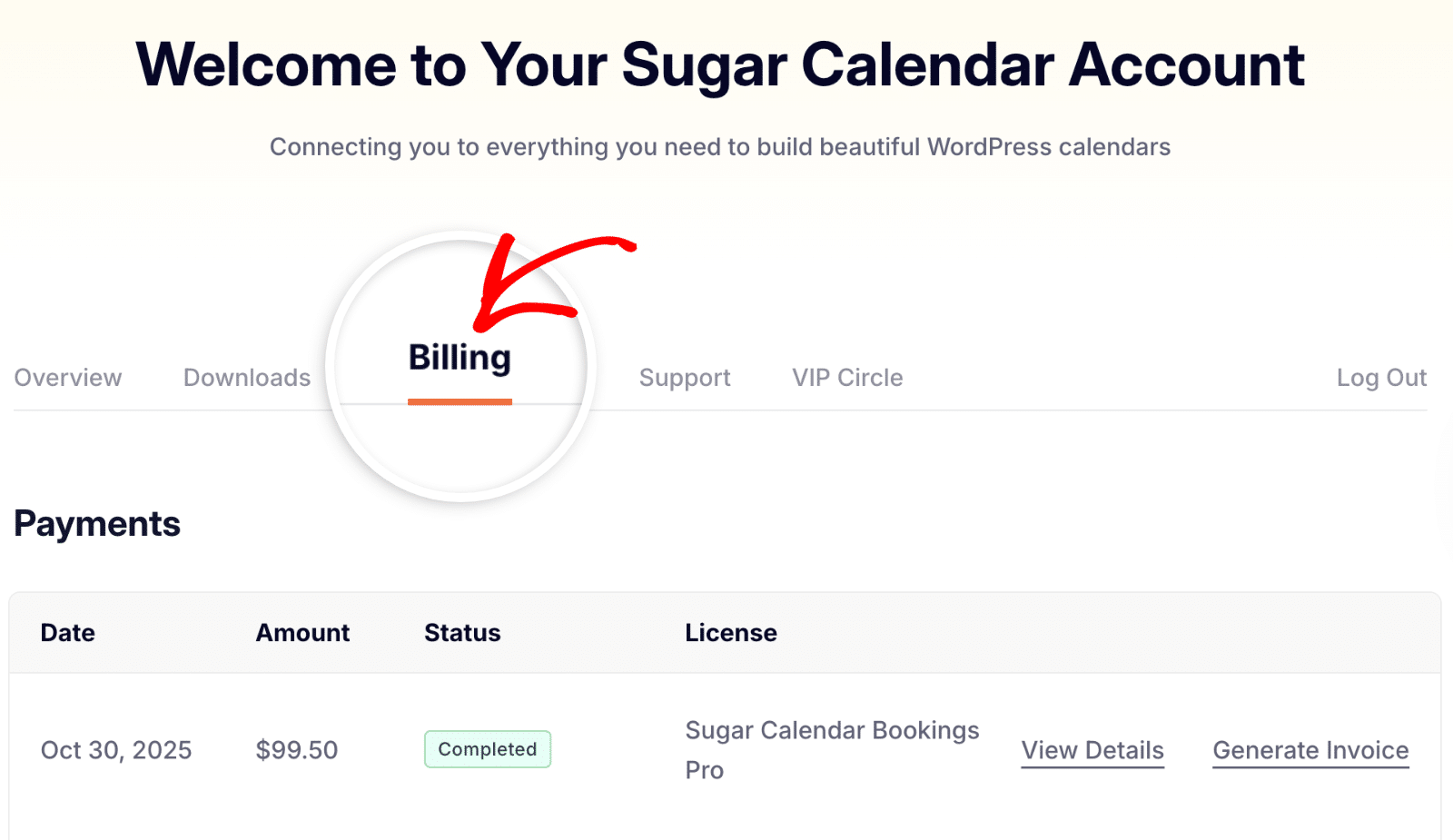
Billing tab in Sugar Calendar Bookings account

Under the Subscriptions section, locate your active license and click Update Card next to it.
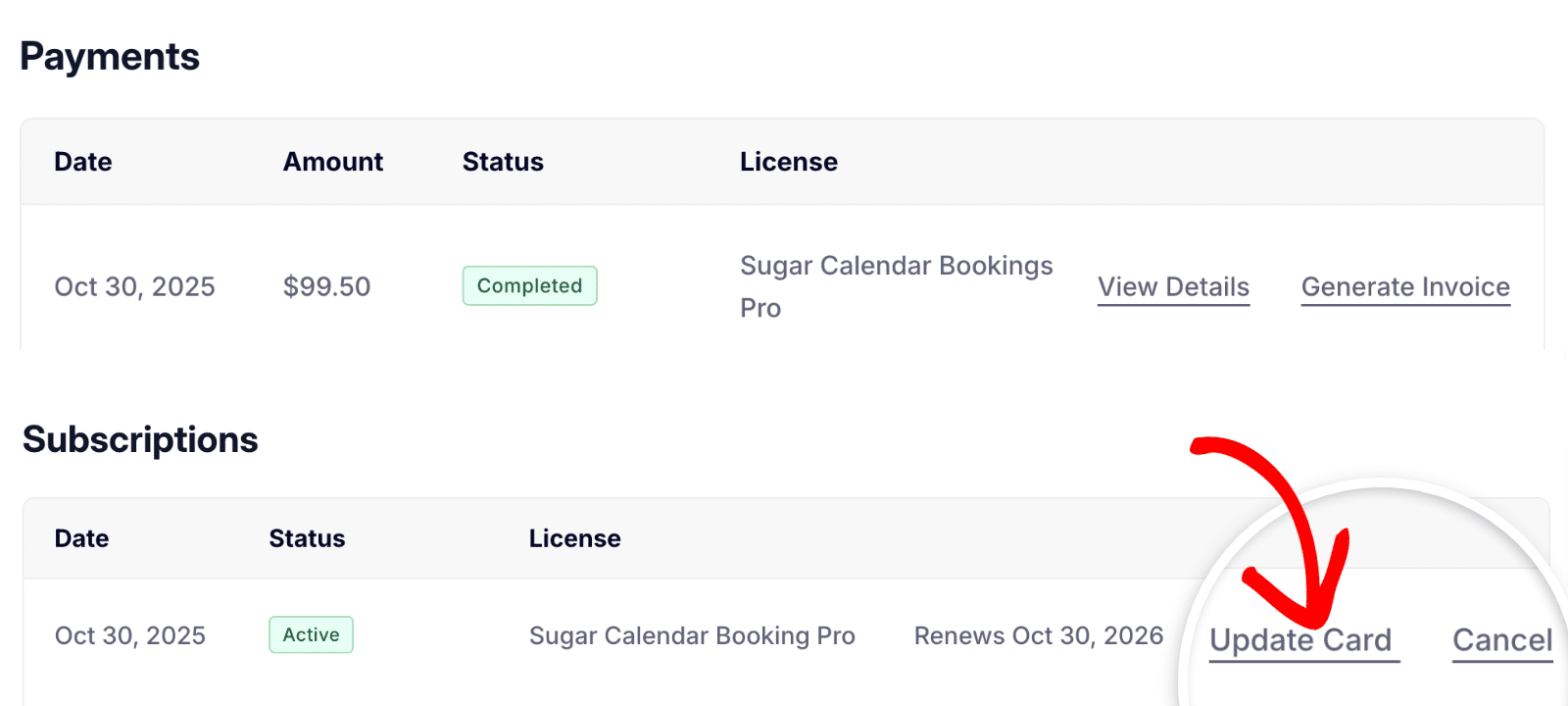
Update card link in Sugar Calendar Bookings billing section

Note: If you don’t see the Update Card link next to your Bookings license, it means you completed your purchase through PayPal.

Updating Your Credit Card Details

When you click Update Card, a secure overlay will appear where you can enter your new payment details. Fill in your card number, expiry date, security code (CVC), ZIP code, and country.
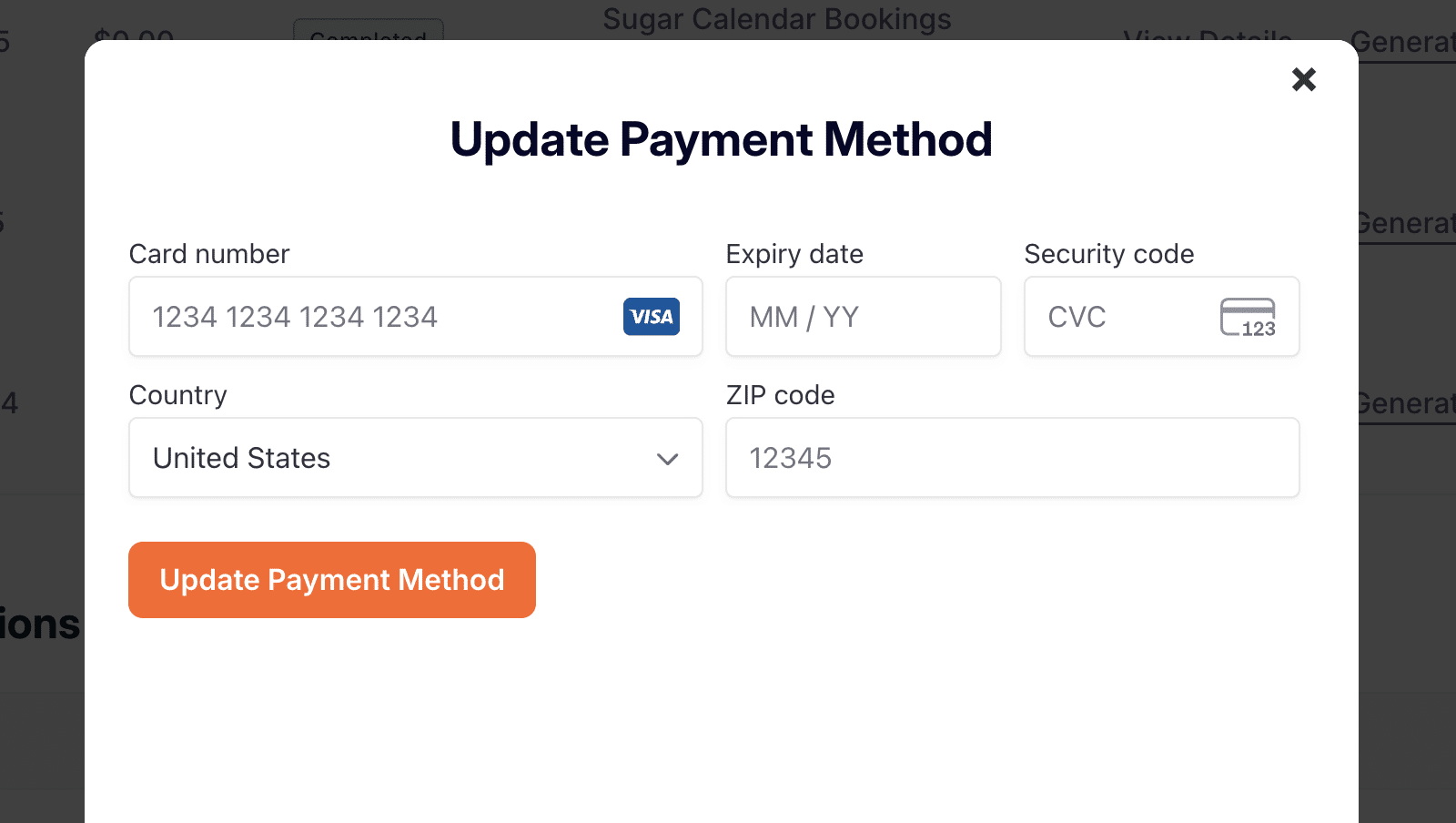
Enter new credit card details for Sugar Calendar Bookings

Once all fields are filled out, click the Update Payment Method button to save your new billing details.
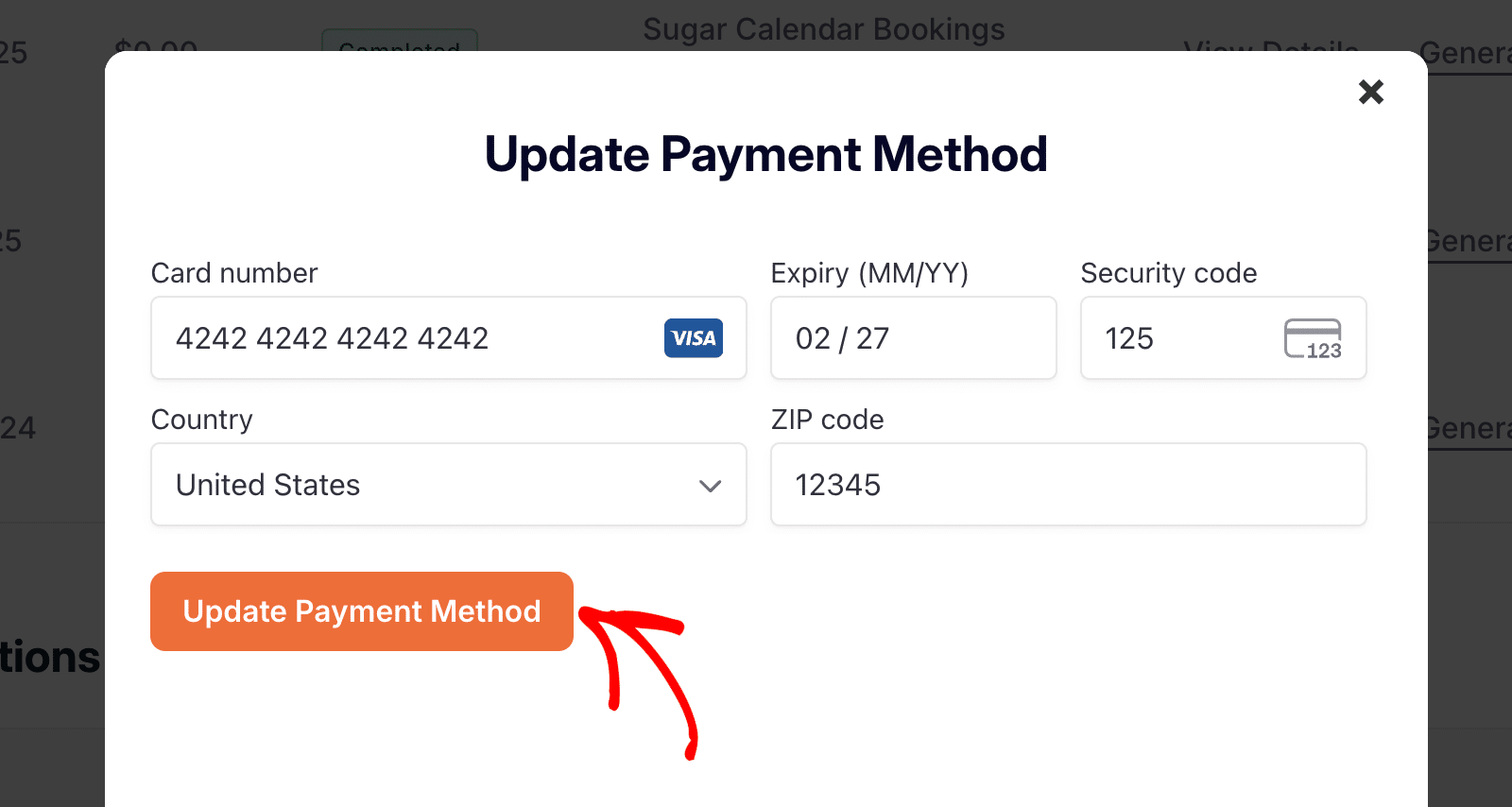
Click Update Payment Method to save billing changes

You’ll see a confirmation message letting you know your payment method was successfully updated.
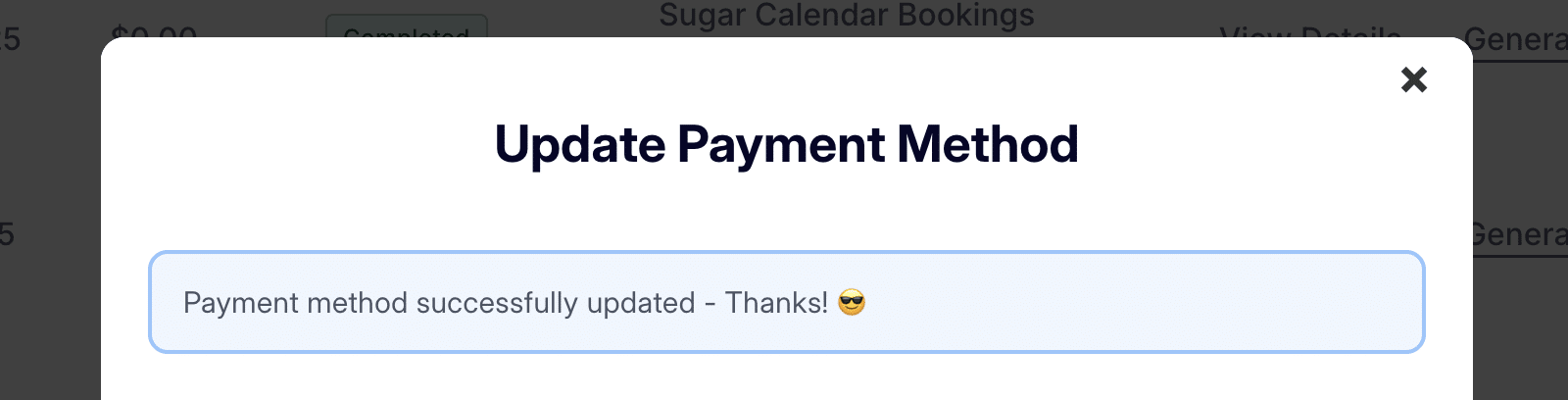
Payment method successfully updated confirmation message

Updating PayPal Billing Information

If your Sugar Calendar Bookings payment was made via PayPal, you’ll need to update your billing information directly from your PayPal account. Sugar Calendar does not store or modify PayPal billing details.

To update your PayPal billing information, visit PayPal’s official help article on how to link, remove, or change a credit card.

That’s it! You’ve now successfully updated your billing information for Sugar Calendar Bookings. Your new payment method will be used for future renewals.

Next, want to upgrade your plan to unlock more features? Check out our guide on upgrading to a higher license level.


Was this article helpful?

Your comment must be at least 15 characters long.
Send Feedback

Thank you for the feedback!

Still stuck? How can we help?
Last Updated on Oct 31, 2025
Simplify Your Events & Bookings, Risk Free!
We offer a 14-day money-back refund if you feel Sugar Calendar is not right for you. What are you waiting for?
Get Started Now! 14-days money back guarantee badge
Product
  • Features
  • Pricing
  • Changelog
  • Blog
  • Become an affiliate
Events
  • Calendar Feeds
  • Display Events
  • Event Import
  • Event Organization
  • Event Speakers
  • Event Ticketing Addon
  • Event Venues
  • Flexible Ticket Types
  • Recurring Events
  • RSVP Addon
Bookings
  • Automated Notifications
  • Calendar Management
  • Customer Management
  • Online Appointment Booking
  • Online Payments
  • Service Management
Get Help
  • Support
  • Documentation
  • Customize Sugar Calendar
Company
  • About Us
  • Contact
  • Brand Assets
  • Careers
Connect with Us
Our Other Projects
  • AffiliateWP
  • Easy Digital Downloads
  • WP Simple Pay
  • WPBeginner
  • WPForms

Copyright ©2025 Sugar Calendar, LLC.

  • Terms & Conditions
  • Privacy Policy
Norton Verified WPBeginner Verified
The WordPress® trademark is the intellectual property of the WordPress Foundation. Uses of the WordPress®, names in this website are for identification purposes only and do not imply an endorsement by WordPress Foundation. Sugar Calendar is not endorsed or owned by, or affiliated with, the WordPress Foundation.