Are you wondering how integration credits work in Sugar Calendar Events, or why you see an upgrade prompt when an integration like Zoom or Google Calendar stops creating meetings or syncing new events?
In this tutorial, we’ll explain what integration credits are, how usage limits differ between the Lite and Pro versions of Sugar Calendar Events.
In This Article
Before getting started, make sure to install and activate the Sugar Calendar Events plugin on your WordPress site.
What Are Integration Credits?
Integration credits track how often your events use a connected third-party service. Each time an event generates a Zoom or Google Meet meeting via the integration, it consumes 1 credit.
The Google Calendar integration also uses 1 credit each time it adds a new event to your Google calendar. Updating an event that’s already in Google Calendar doesn’t use credits. To learn more, see our guide to using the Google Calendar integration.
The Google Maps integration does not use any credits because it displays location data rather than connecting to an account that meters usage.
Currently, Zoom and Google Calendar / Meets are the integrations that use credits.
How Usage Limits Work in Lite and Pro
The way your credit limit behaves depends on whether you use the Lite or Pro version of Sugar Calendar Events.
In the Lite version, your credits are a flat, one-time allowance. This limit does not reset each month. Once you use your Lite credits, you need to upgrade to Pro to continue using credit-consuming integrations.
However, if you have a paid license, your credits reset on the first of each month. When the month rolls over, your usage returns to zero, and your full allowance is available again.
The exact number of credits included with Lite and each Pro tier depends on your license level. Here’s a table showing the available limits:
| Plan | Credits | Reset |
|---|---|---|
| Free | 200 | Lifetime (never resets) |
| Basic | 1,000 | Monthly |
| Plus | 2,000 | Monthly |
| Pro | 3,000 | Monthly |
| Elite | 5,000 | Monthly |
Checking Your Current Usage
Sugar Calendar Events gives you two places to track integration usage: the License & Usage settings tab and the usage indicator on the Integrations page.
From the License & Usage Tab
Go to Events » Settings in your WordPress dashboard. The License & Usage tab is the first tab in Settings.
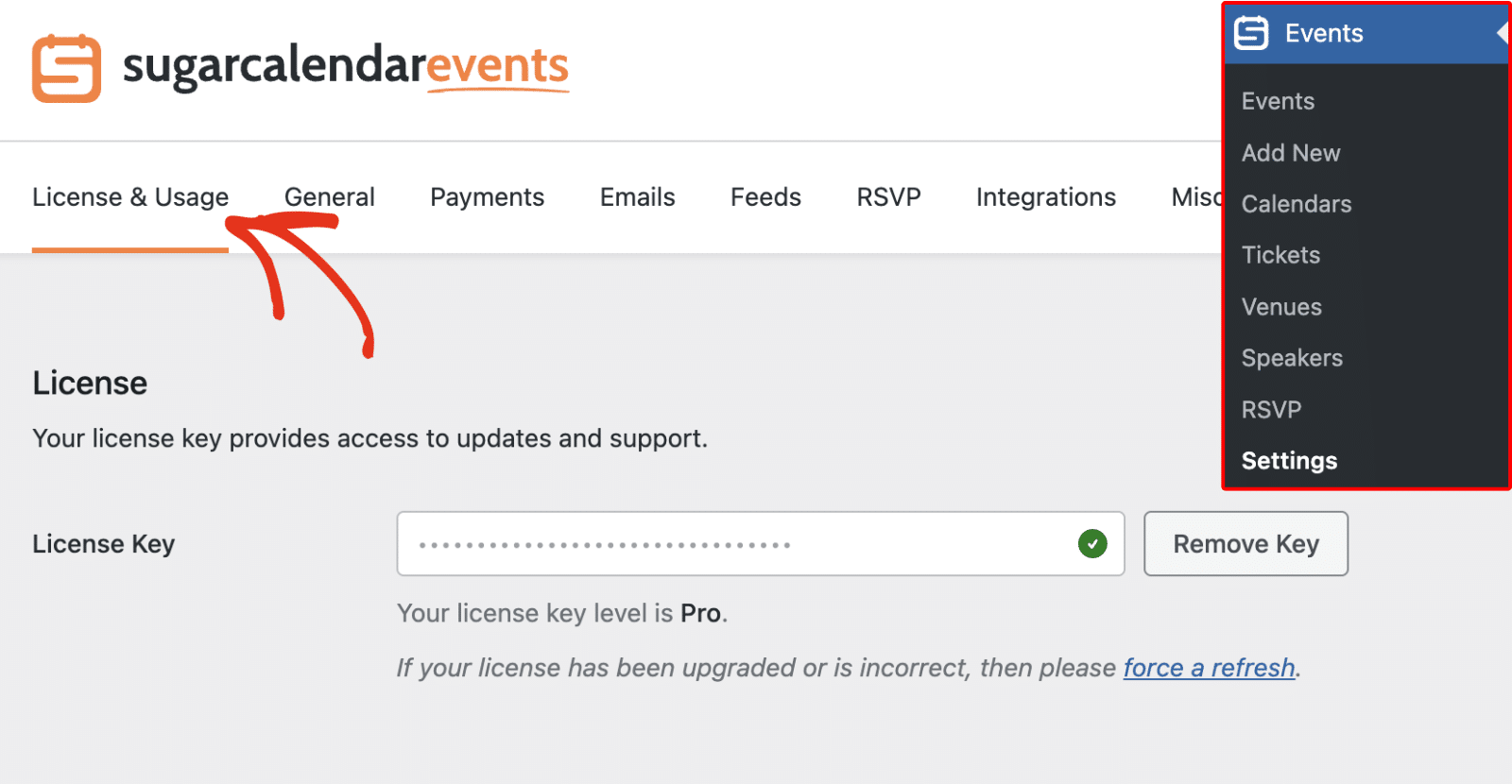
This tab holds your license key field, the Integration Usage card, and an AI Usage card for Gia AI. The card shows a segmented usage bar, where each segment represents an integration.
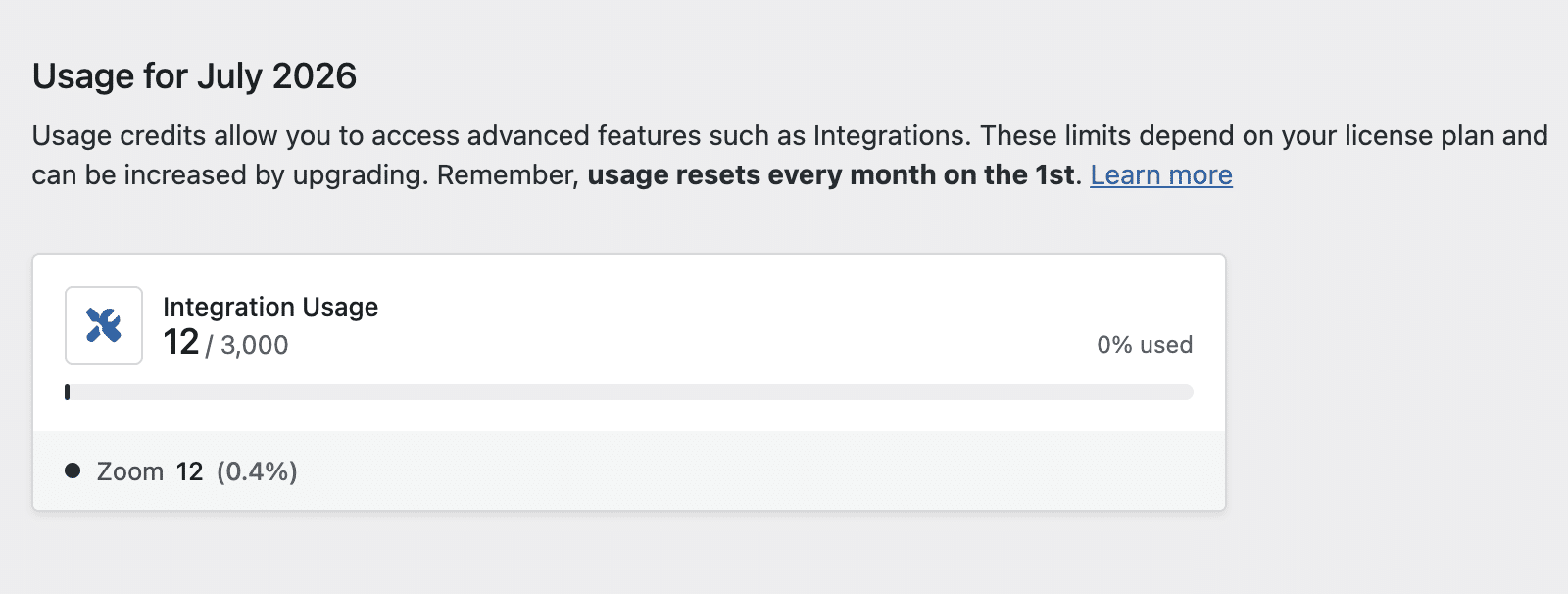
From the Integrations Page
You can also check usage from the Integrations settings. To do so, go to Events » Settings and click the Integrations tab.
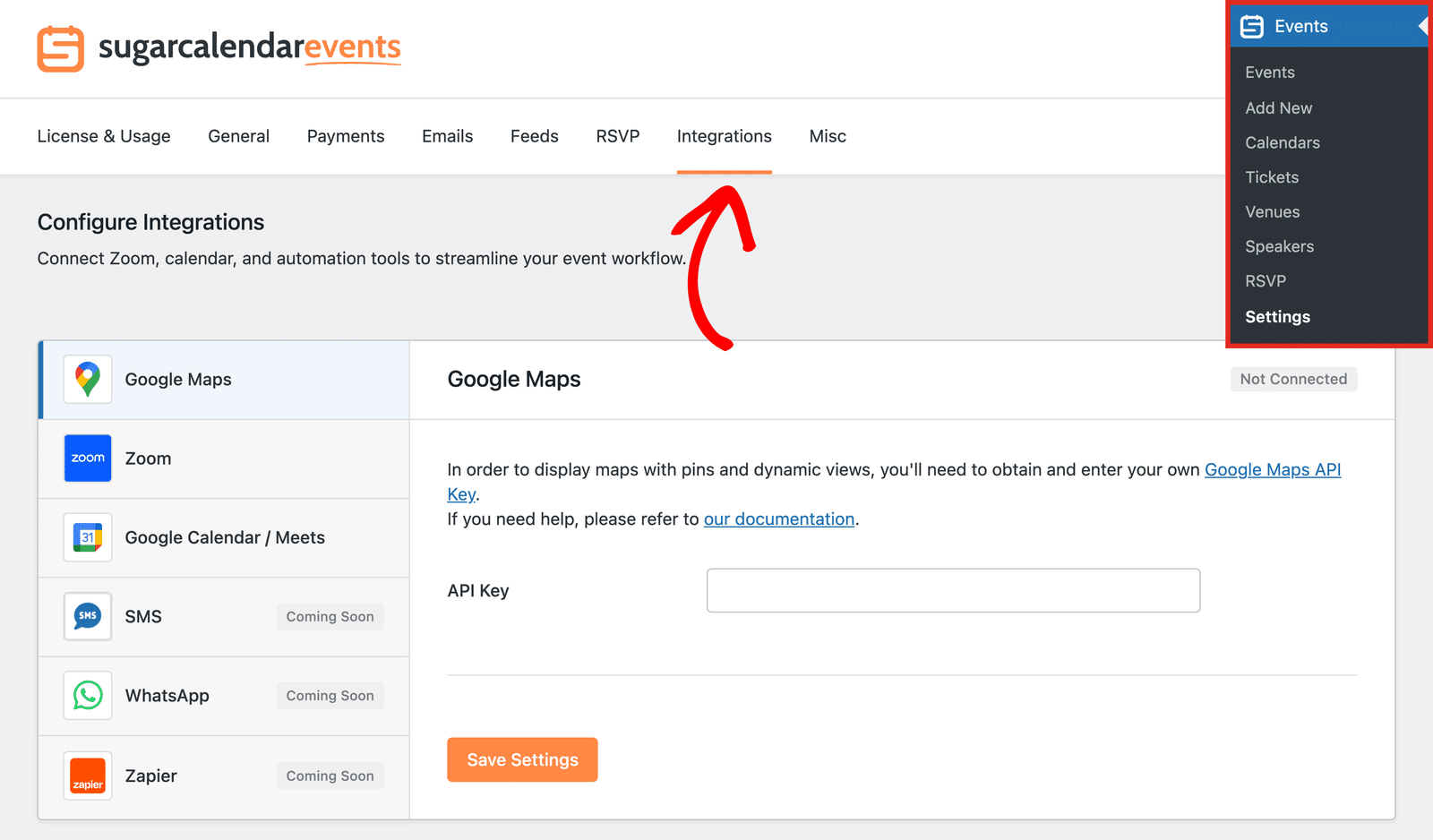
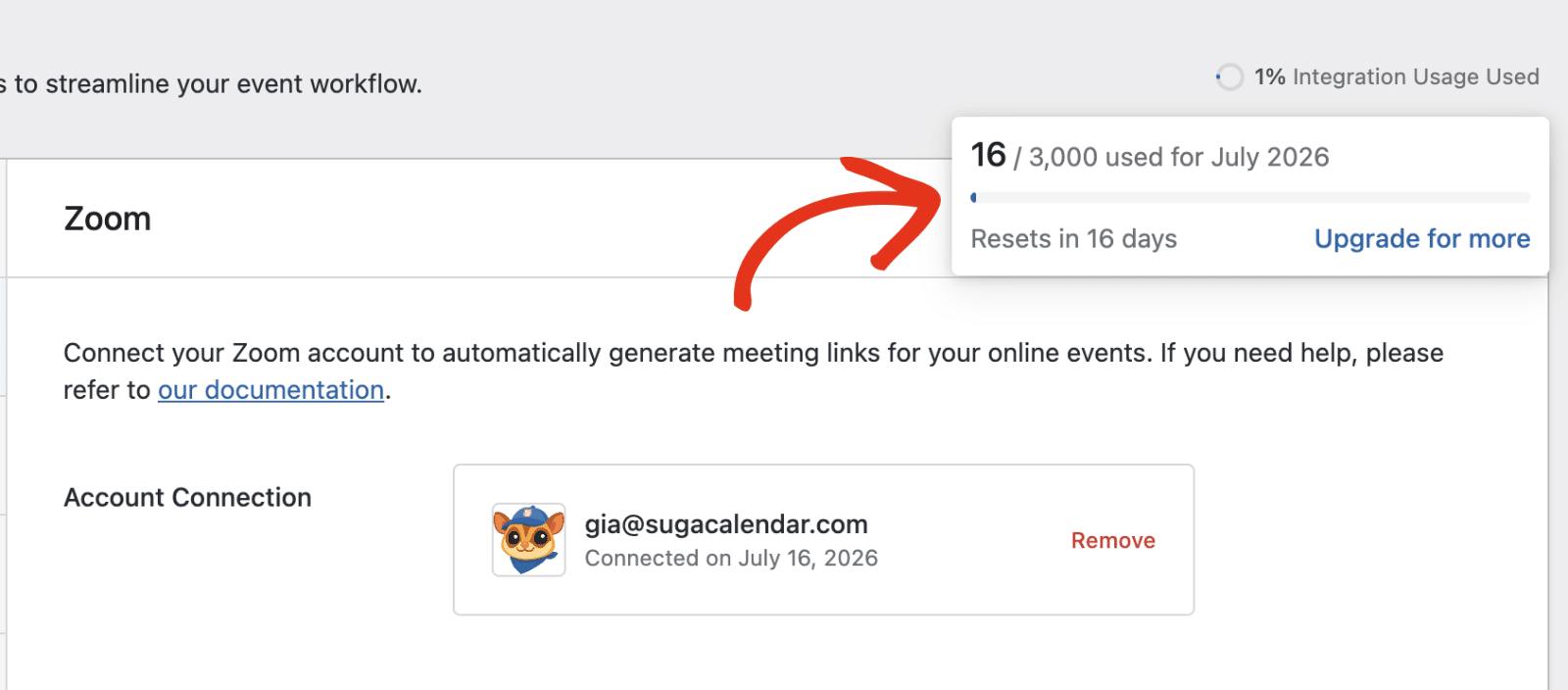
You’ll see a circular usage indicator at the top-right of the page, reading “X% Integration Usage Used.”
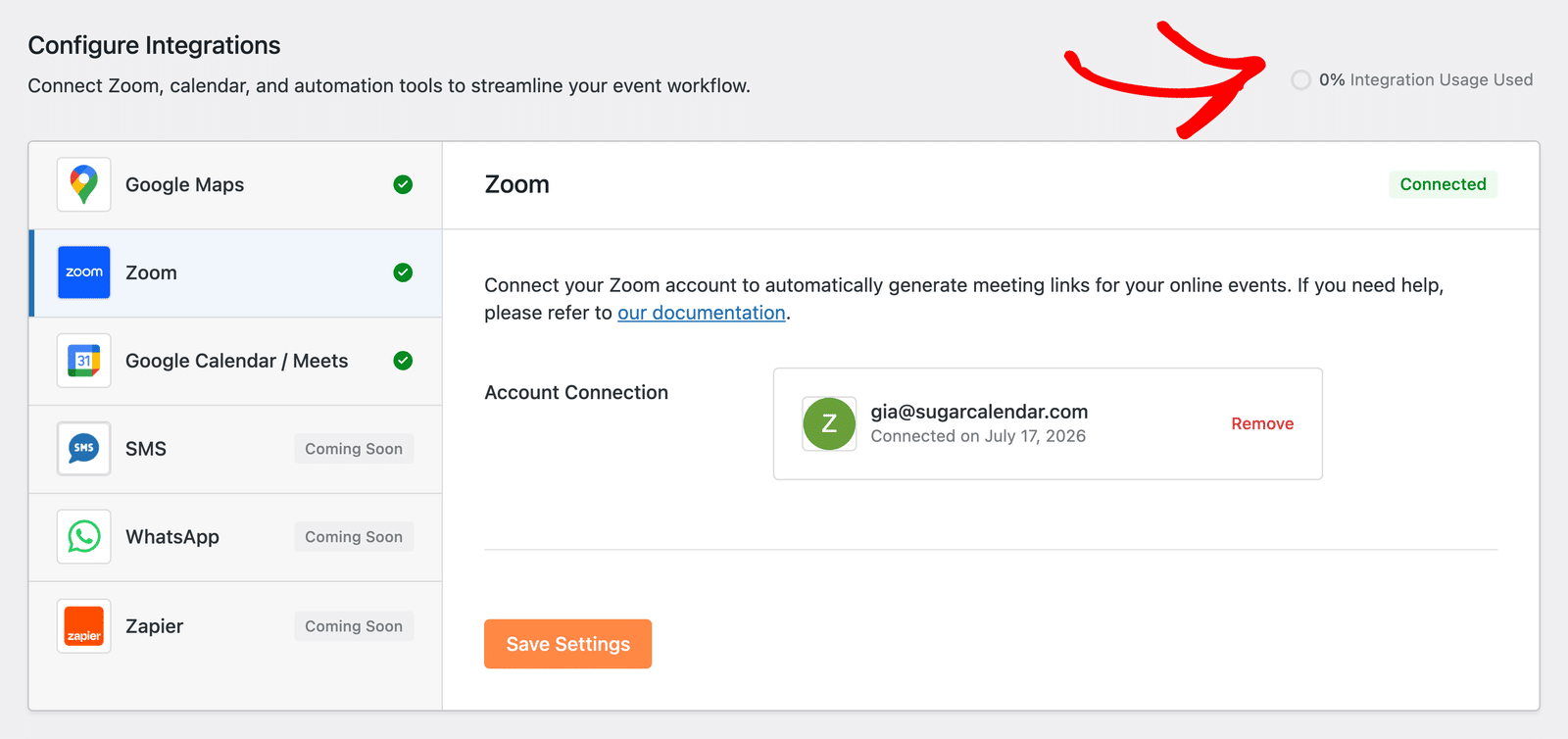
Click the indicator to open its popover. The popover shows your used credits against your limit. On Pro, it also shows a “Resets in X days” line so you know when your monthly allowance renews.
What Happens When You Run Out of Credits
When you use all your available credits, Sugar Calendar Events pauses the integrations that consume them and makes the out-of-credits state clear across the admin.
On the License & Usage tab, an Out of Usage badge appears, the usage bar fills completely, and a warning message explains that you have used all your credits.
Running out of credits does not affect events you already synced or created. Only new credit-consuming integration actions pause until you restore your credits.
Getting More Credits
If you have used your credits and need more, you have two ways to restore them.
If you are on a paid license, your credits reset automatically on the first of each month, so waiting for the new billing period gives you a fresh allowance.
To get a higher limit right away, upgrade your license. Upgrading from Lite to Pro, or to a higher license level, immediately increases your monthly credit allowance.
That’s it! You now know what integration credits are and how usage limits work in the Lite and Pro versions of Sugar Calendar Events.
Next, would you like to set up the integration that uses these credits? See our guide on using the Events Zoom integration to get started.